Exporting application templates
You can export application templates, so you can share it with other projects and users. When exporting a template, a *.s1ct file is created.
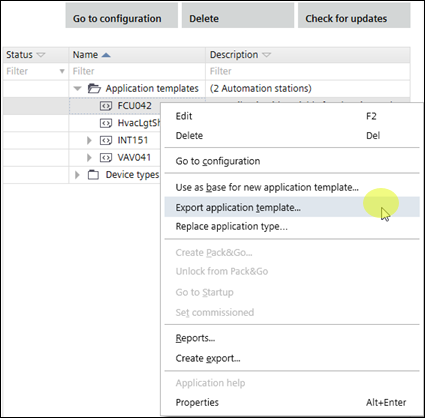
Export an application template
- Open Building > Application & device overview.
- Right-click an application template and select Export application template.
- Select where to save the *.s1ct file.
- You can find the exported application template in the folder specified.