Saving commissioning data

For commissioning and diagnostic information to be available in ABT Site, the data first has to be read and saved into the project.
To view the saved information, go to Startup > Commissioning and diagnostics.
Commissioning and diagnostics
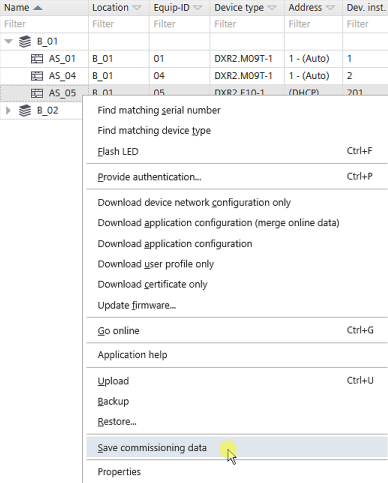
Save commissioning data
- At least one device must be connected.
Connecting to devices
- Open the Startup > Configure and download task.
- In the Engineered devices tab, select a device.
- Right-click and select Save commissioning data.
- Click OK.
- The data is now available in ABT Site.
- To view the saved information, go to Startup > Commissioning and diagnostics.