Adding multiple devices
You can add multiple devices via smart copy and paste. You need Microsoft Excel to perform smart copy and paste.

If you add IP addresses manually, set the DHCP column in Excel to FALSE.
Add devices
- A building structure is defined.
- In Building > Building structure, right-click a building or building element and select Add devices.
- The Add devices window opens.
- Select a device
- Click Next.
- Select Grid view.
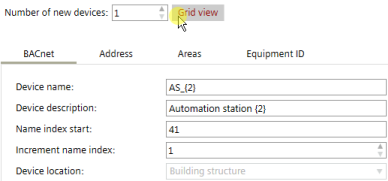
- Click Smart copy.
- The data has been copied to the clipboard.
- Open Microsoft Excel.
- Paste the date in a Microsoft Excel worksheet.
- Add more devices using copy and paste in the worksheet, and edit the values.
- Select the whole table including the headline.
- Go to the Add devices window, and click Smart paste.