Showing and hiding pins
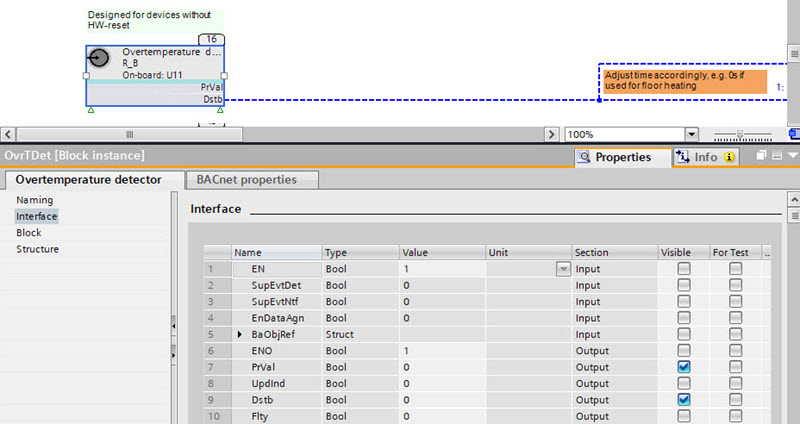
The green triangles at the bottom of a block indicate that some pins are hidden. You can select which pins are visible.
Show and hide pins
- In the Programming editor, select an element.
- Open the Properties tab.
- Open the Properties tab of the selected element.
- Click Interface and select or clear the check boxes in the Visible column, for example, PrVal and Dstb.
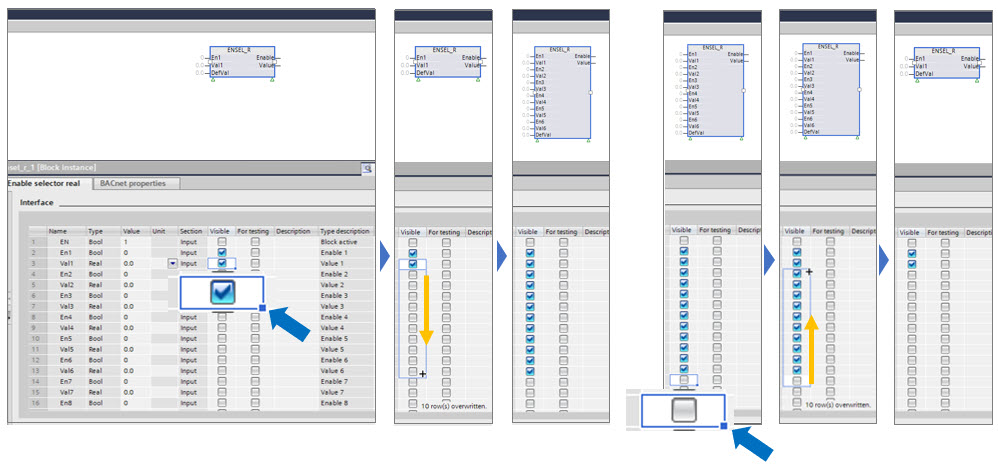
Multi-selection of pins
- Select the status
 or
or  .
. - Select the blue point of the rectangular
 .
. - Drag the blue point
 up or down to the desired destination.
- All selected check boxes are active or cleared.