Modifying the Schedule default
The Schedule default is the value to which the schedule controls the referenced object when either of the following situation occurs:
- A switching point is not in control. This would happen on any day during the period of time before the first switching point is scheduled to occur.
- A switching points value is set to Return to default.
Modifying the Schedule default
Use this procedure to modify the default value or setting for switching points that are added to the schedule.
- While in Edit mode, click Options in the heading.
- The Options dialog box displays the current Schedule default.
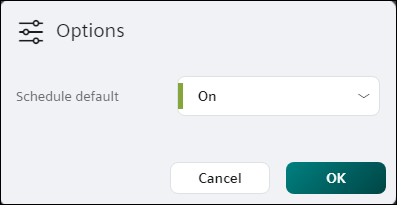
- Click the drop-down list to enter a new default value (analog object) or select a new default setting (binary or multistate object).
- If the schedule should not attempt to control the referenced object(s) when a switching point is not in control or when a switching point’s value is set to Return to default, select the Return to default checkbox (analog object) or the Return to default setting (binary and multistate object).
- Click OK to save your changes.