User interface
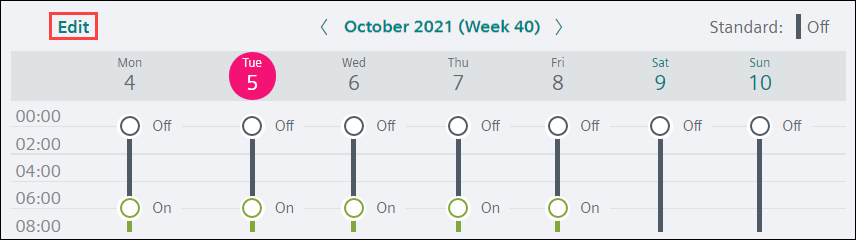
Default Scheduler view
The Scheduler overview displays by default for the selected Scheduler object.
Click Edit to display Edit mode.
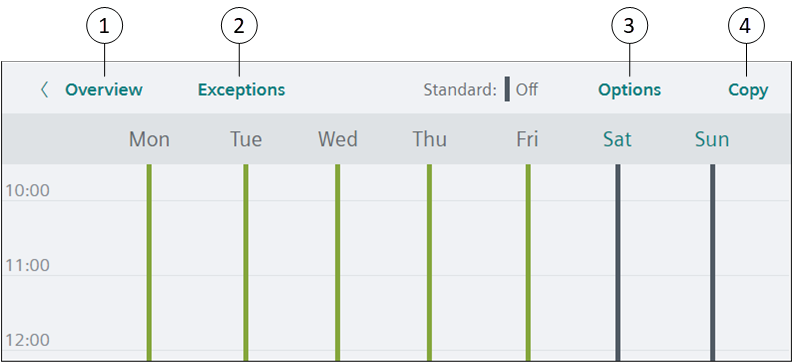
Scheduler view in Edit mode
① | Overview |
② | Exceptions/Scheduler |
③ | Options |
④ | Copy |
Work area views
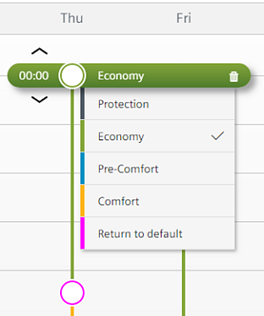
A switching point displays in the work area to indicate the time for a change of value (analog object) or setting (binary or multistate object).
Analog object schedule
- Switching points display the value to which the referenced object(s) will be commanded.
 indicates a switching point that returns to the Schedule default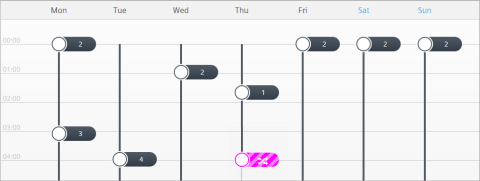
Binary or multistate object schedule
- The color of the switching point indicates the setting to which the referenced object(s) will be commanded.
 indicates a switching point that returns to the Schedule default