Editing the Pack & Go project
This procedure describes an example of typical changes made to an imported Pack & Go file. You can find your Pack & Go projects in Project Manager > Projects, in the Pack & Go tab.
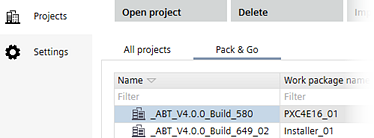
Edit the Pack & Go project
- You have imported the Pack & Go project.
- Open the Pack & Go project.
- Open Building > Building Structure inside the Pack & Go project.
- Reconfigure devices, including change of application templates and node configuration.
- Add devices (can also be based on new application types).
- Delete devices.
- Install devices.
- Read back the devices (including learning manual configured devices).