Repairing
You can repair ABT Site and ABT Pro tools and libraries or features that are already installed on your machine. Use the repair option if the libraries installed along with ABT Site or ABT Pro installed get corrupt and are not functioning as expected. Complete the following steps to repair the tools:
- Extract the ABT setup package by using ABT_Installer.exe.
- In the ABT Installer’s welcome dialog box select the setup language of your choice and click Next.
Note: The language you select here is for ABT Installer only and not the ABT Pro or Site product language. - Select Repair, to repair the installed tools and libraries.
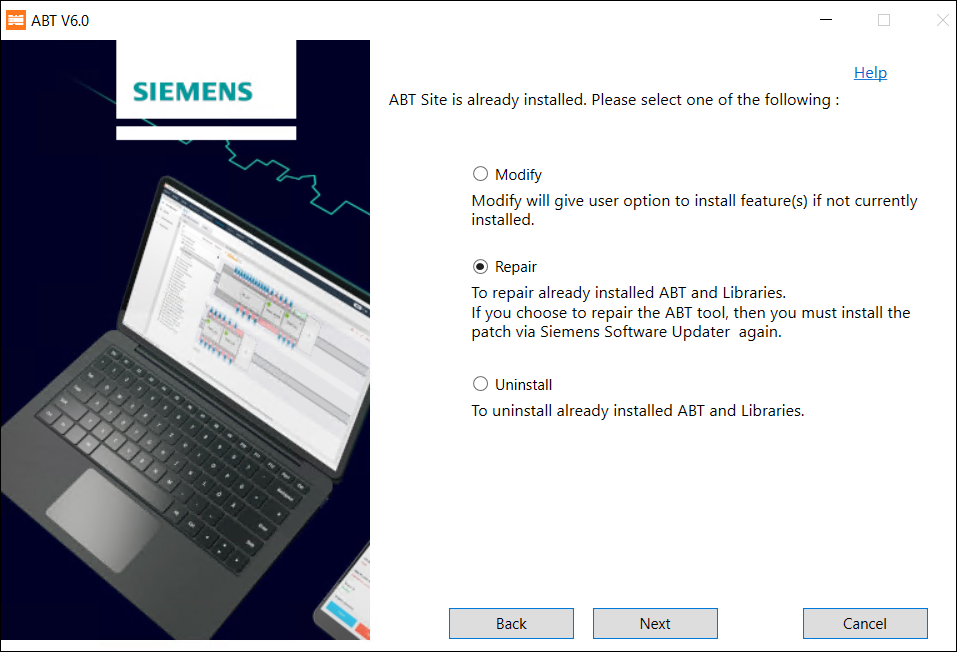
- Select the tools and libraries that you want to repair and click Next. If you have installed ABT Site, then you can see only ABT Site libraries to repair.
- Verify the tools and libraries you want to repair from the components selected list and click Repair.
- Select Restart Now and click Restart to restart your machine. You must restart your machine after you repair the tool.
- You have successfully repaired the installed features.