Replacing I/Os manually in the project tree
Instead of using the I/Os of the plant added from the library, you can replace them by actual configured and tested I/Os.
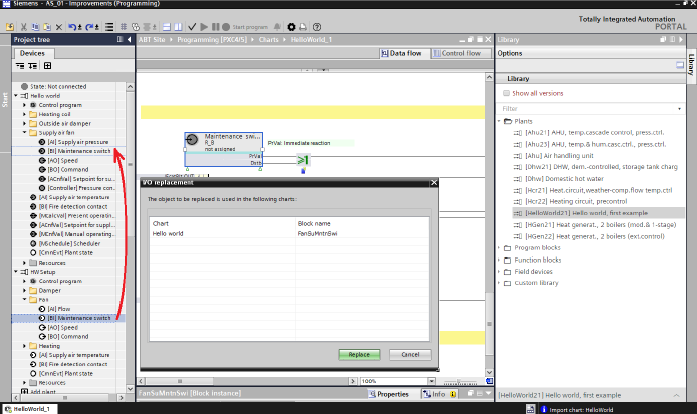
- Copy a new plant from the library.
- Modify the control program according to the requirements.
- Drag the actual configured and tested I/Os and drop it onto the I/Os in the list you intend to replace.
- Confirm with Replace.