Duplicating device
In the Room segment editor you can duplicate a device.
Duplicate a device
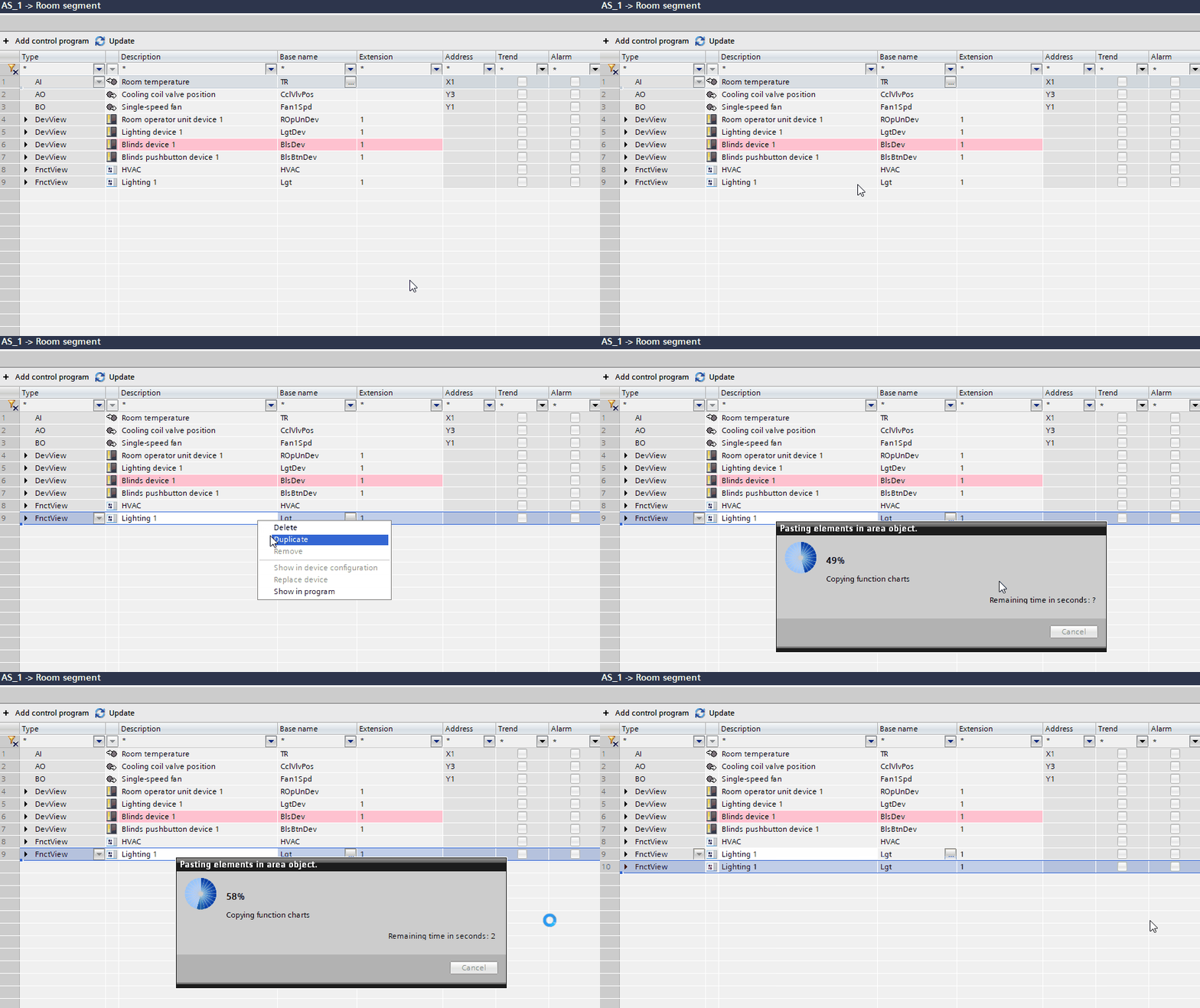
- In the Room segment editor, select the lighting device or application function you want to duplicate.
- Right-click your selection and select Duplicate from the context menu.
- The selected item is duplicated and displayed at the end of the list.