Managing group assignments for lights and blinds
In ABT Site configuration, it is only possible to create up to 4 groups for lights and blinds. If more than 4 groups are required, you can set them up in room programming.
Add lights and blinds to a group
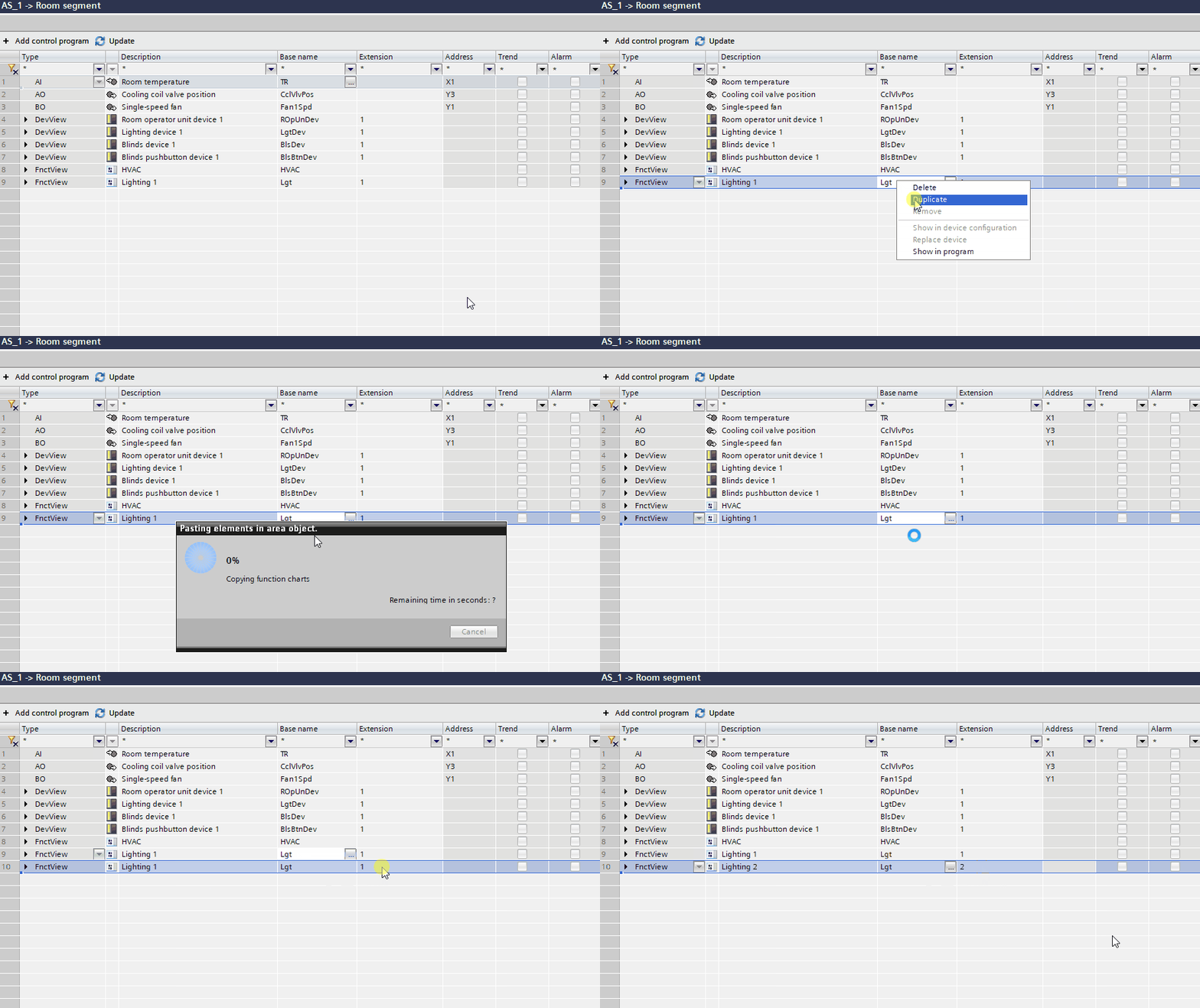
- In the Room segment editor, select the lighting device or application function you want to add to a group by pressing CTRL and multi-selecting them.
- Right-click your selection and select Duplicate from the context menu.
- Selected items are duplicated and displayed at the end of the list.
- Reassign the duplicated items to a new group by changing the number in the Extension column.
- The lights or blinds are added.
Change group assignments for lights and blinds
- In the Room segment editor, select the lighting device and application function you want to add to another group.
- Change the group number in the Extension column according to the intended new group number.
- The lighting device or application function is now assigned to another group.