Opening global library
The correct global library usually opens automatically by default. It is also possible to open the global library manually.
Open a global library
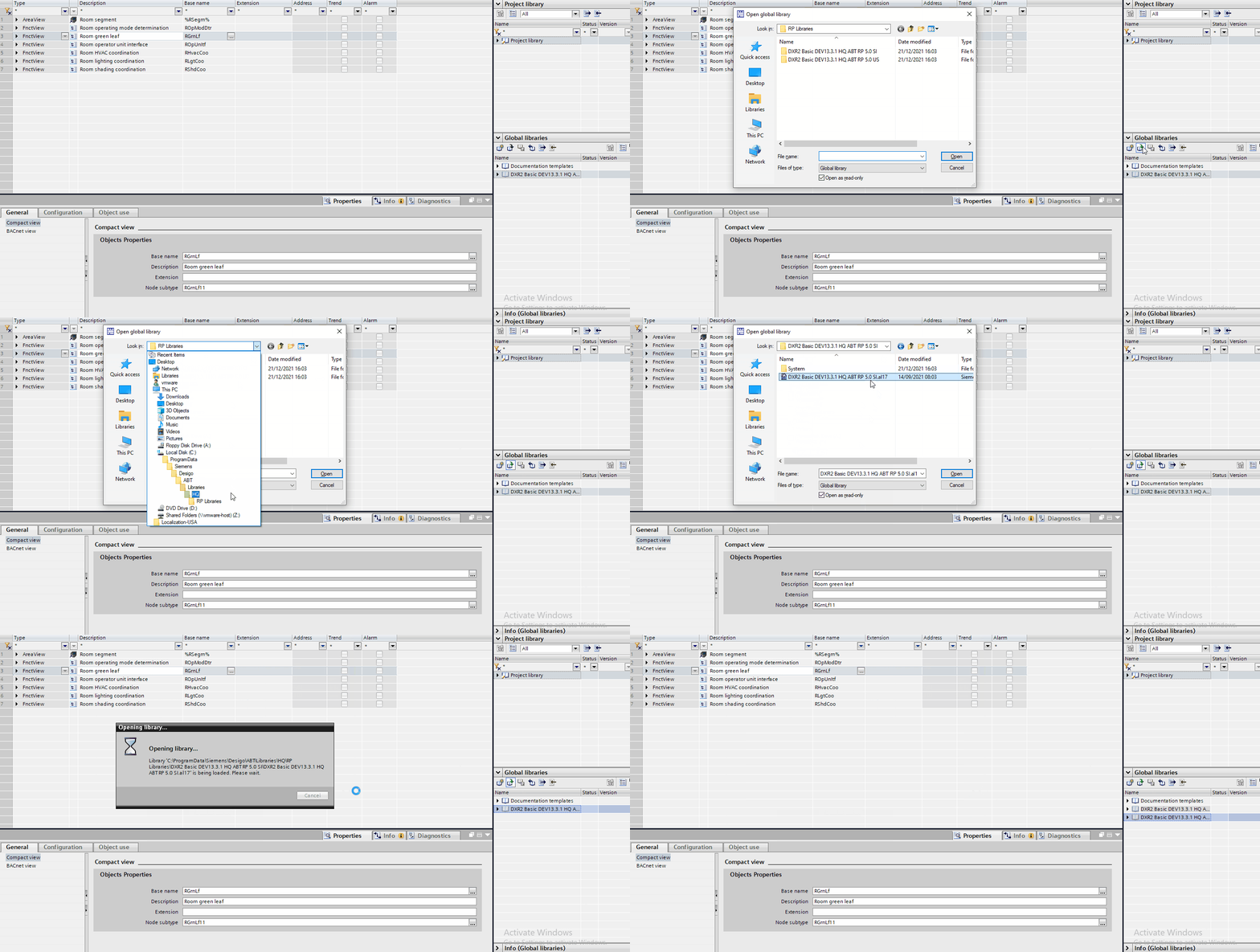
- In Room programming, go to Global libraries.
- Click the Open global library icon.
- In Windows Explorer, navigate to:
Local disk (C:) > Program data > Siemens > Desigo > ABT > Libraries > HQ > RP Libraries - Select the correct library set and confirm with Open.
- The selected global library is visible.