Create a BACnet reference manually
- Go to Engineering > BACnet references.
- Select the Overview tab.
- In the Plants navigation view, click on Add data point.
- From the drop-down, select and click Add BACnet Reference.
- The Add BACnet Reference dialog box opens.
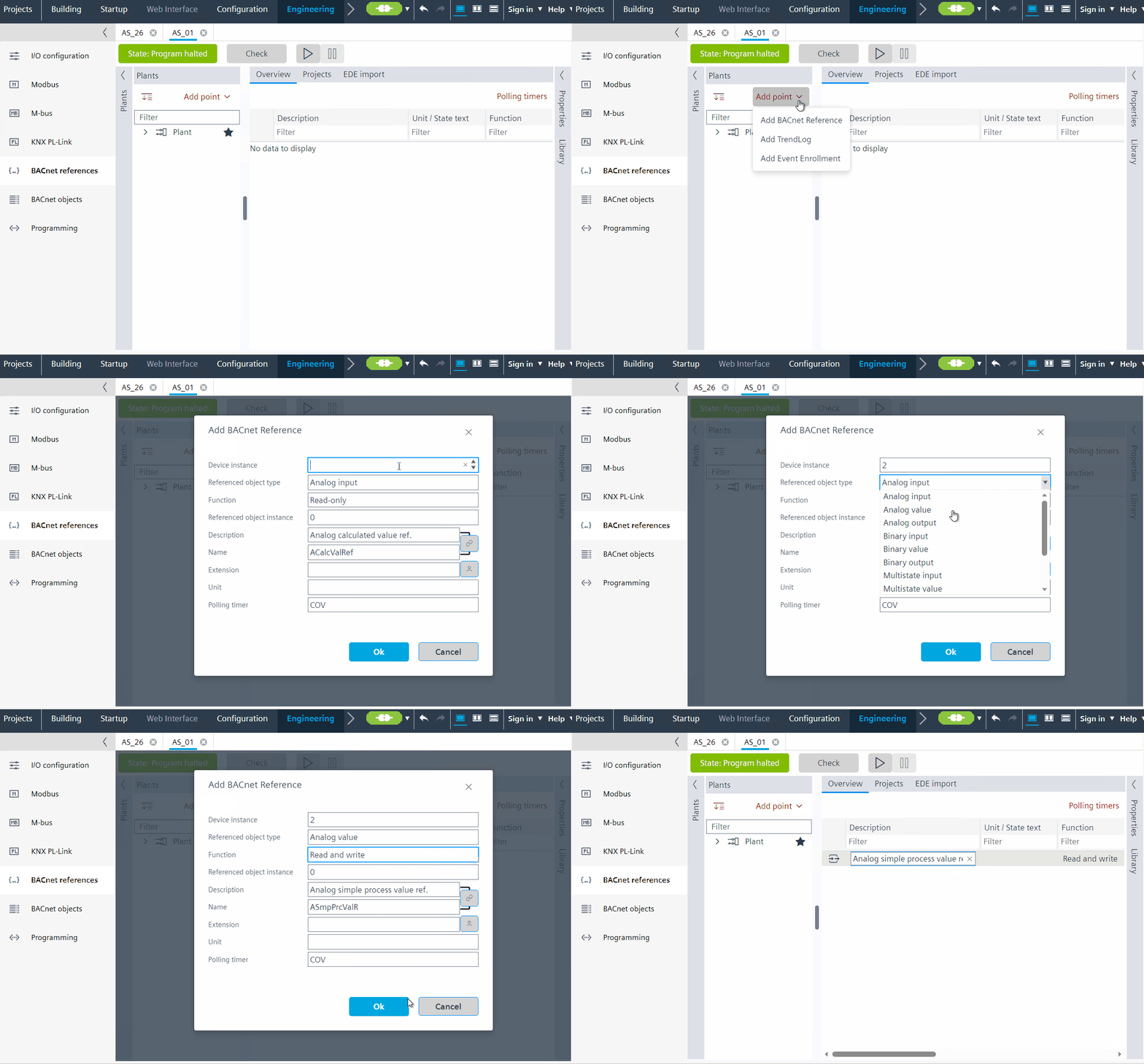
- Do the following:
- In the Device Instance field, enter the instance ID of the source device where the BACnet object belongs to.
- In the Referenced object type field, select the required source BACnet object type to read/write to.
- In the Function field, select the desired option for reading/writing/commanding. The values in the Function field is different for the type of BACnet objects selected.
- In the Referenced object Instance field, enter the instance ID for the source BACnet object.
- Depending on the data point, enter other fields as needed.
- Click OK.
- You have created a BACnet reference object.
- Repeat step 3 to add more objects.