Create a BACnet reference from ABT Site projects
You can create BACnet reference objects from any existing ABT Site project that can be found on this PC. You can also use context menu to create a BACnet reference object. This way the required BACnet referencing function is set in one-step. The object is created on the top level of the favorite plant in the Plants navigation view .
- Go to Engineering > BACnet references.
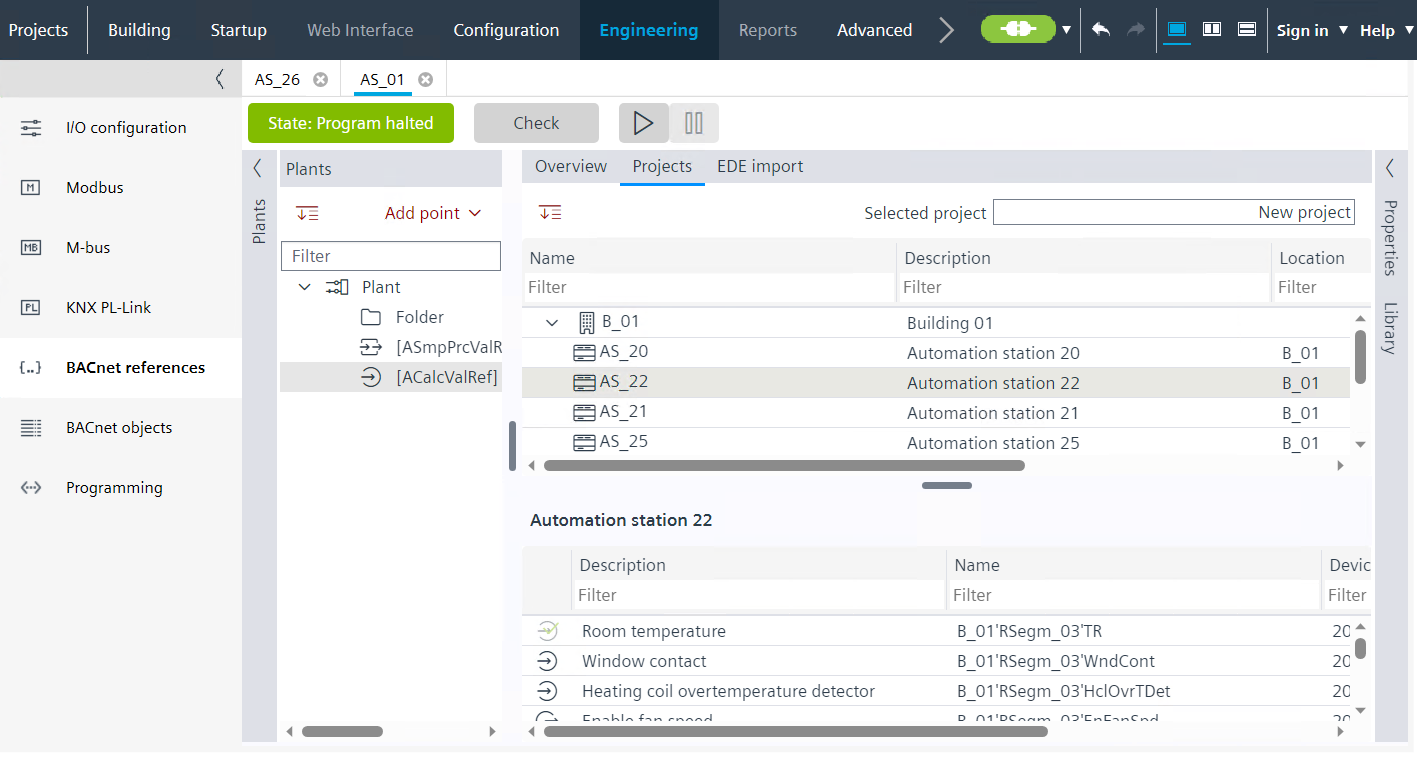
- Select the Projects tab.
- In the upper part you can see the available BACnet objects of the selected automation station.
- You can browse different automation stations in the project.
- In the lower part you can see the available BACnet objects of the selected automation station.
- Click on the selected project to browse between different ABT Site projects which are located on this PC.
- Drag and drop an object from the lower part of the window to create a BACnet reference object in the desired folder to the Plants navigation view on the left.
- You have created a BACnet reference object.
- Repeat step 5 to add more objects.