Opening the template view
The Template view is used to configure room operator unit devices.
Configuring a room operator unit
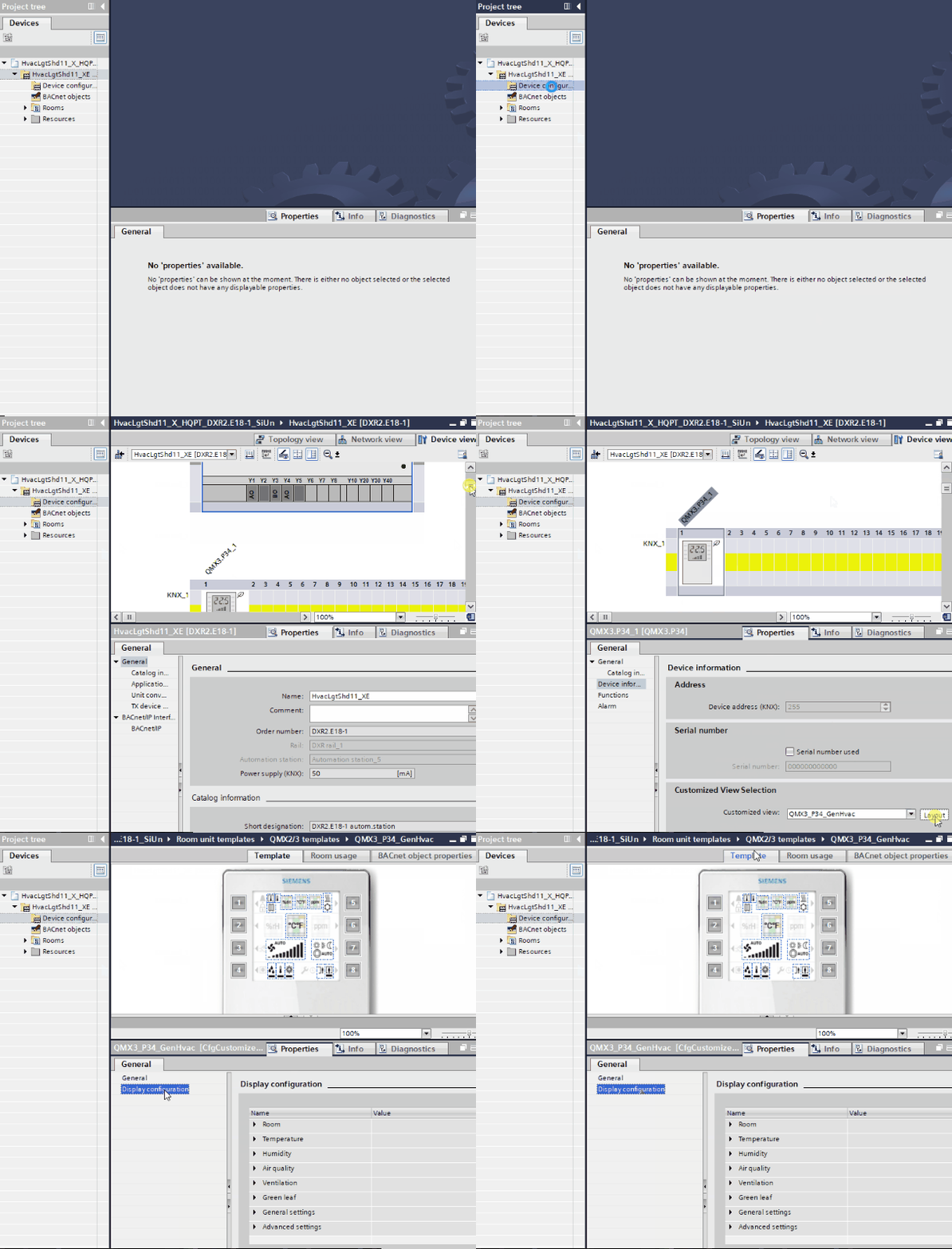
Open the template view
- You have added a room operator unit to your project.
- Go to the Room programming editor.
Duplicating and programming - Open Device configuration > Device view.
- Select the room operator unit device.
- In Properties > Device information > Customized view selection, click Layout.
- The Template view opens.