Overwriting values online
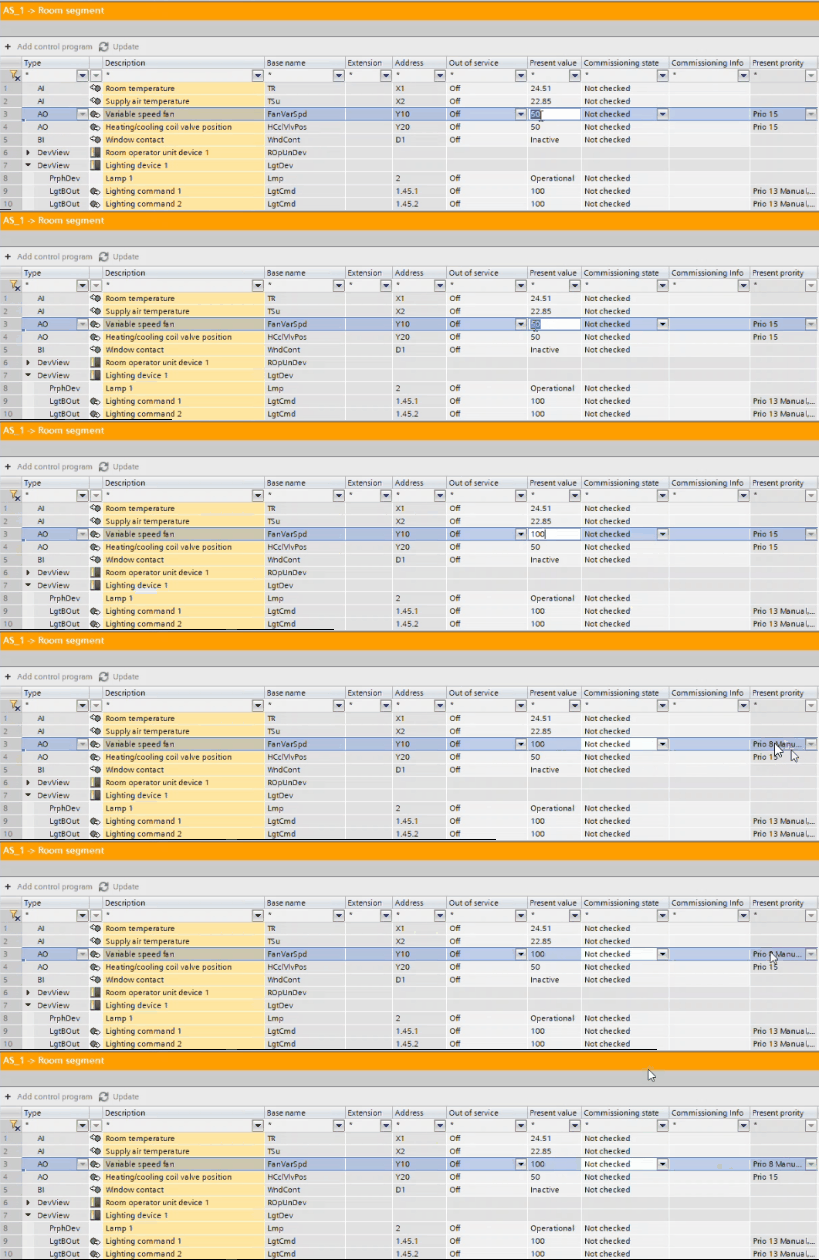
Values can also be directly overwritten. If you change values, the Present priority column indicates that the corresponding value has been overwritten manually. You can release manually overwritten values in the Web interface.
Overwrite values online
- Open the Room programming editor.
Duplicating and programming - In the toolbar, select the Go online button.
- The frame color changes to orange, and the table in the Room segment editor now displays live values.
- In the Room segment editor table, select the value.
- Enter the new value.
- The Present priority column indicates that the corresponding value has been overwritten.
Overwrite values online and remove overwrite changes on the device are displayed immediately in the table. Values can also be directly overwritten.
Remove overwrite in Web interface
You can either undo the overwrite operation or release manually overwritten values in the Web interface.
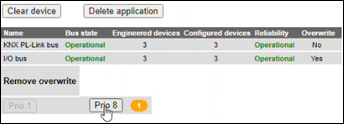
For more information on removing overwrites, see Device and network configuration in the Web interface user guide.
http://www.siemens.com/download?A6V11938631