Duplicating devices
You can duplicate devices within the building structure in two ways:
Duplicate devices via drag&drop
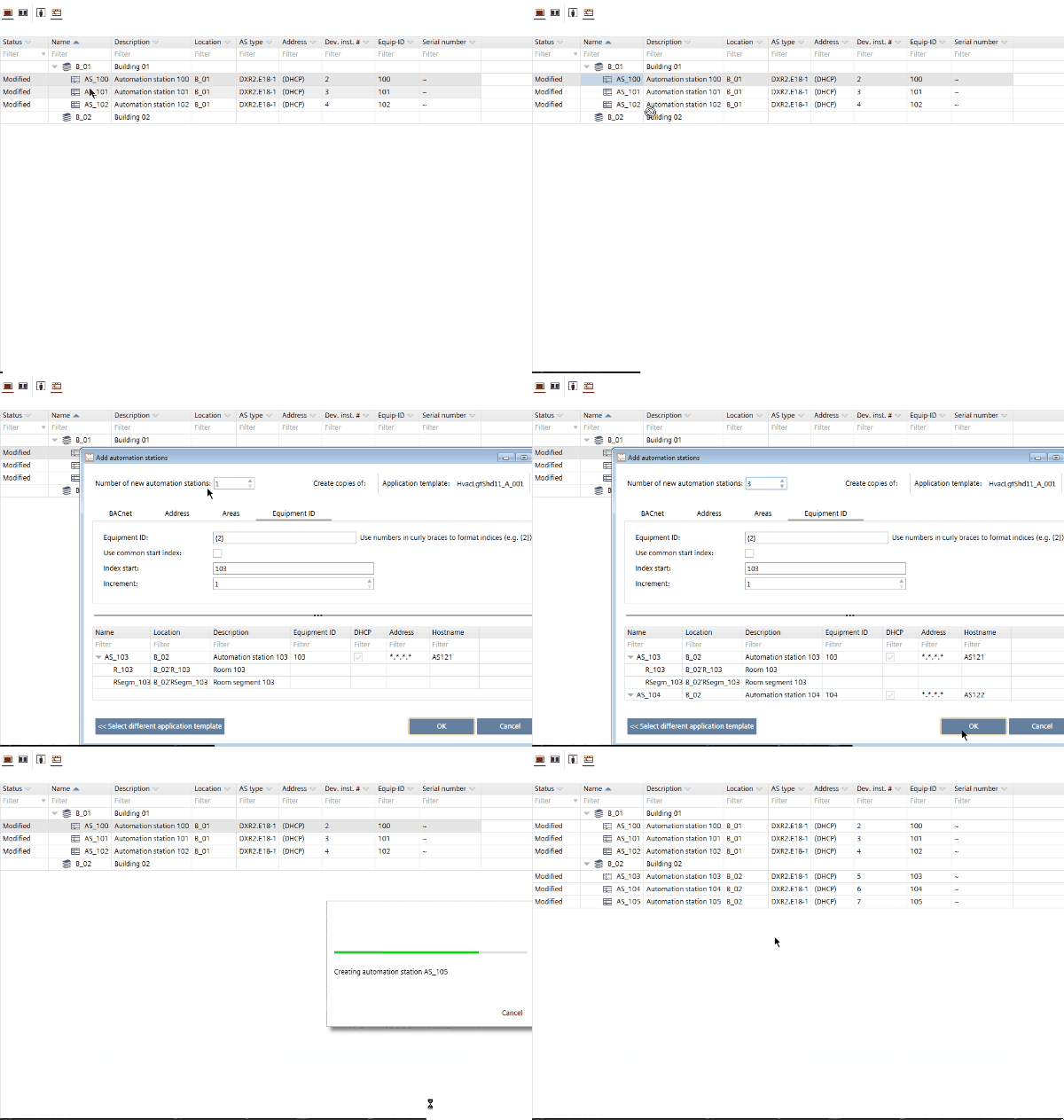
Press the [Ctrl] key while dragging a device, otherwise the device will be moved within the building structure. When dropping the device the Add devices dialog box opens. Multi-select is not supported.
Duplicate devices via context menu
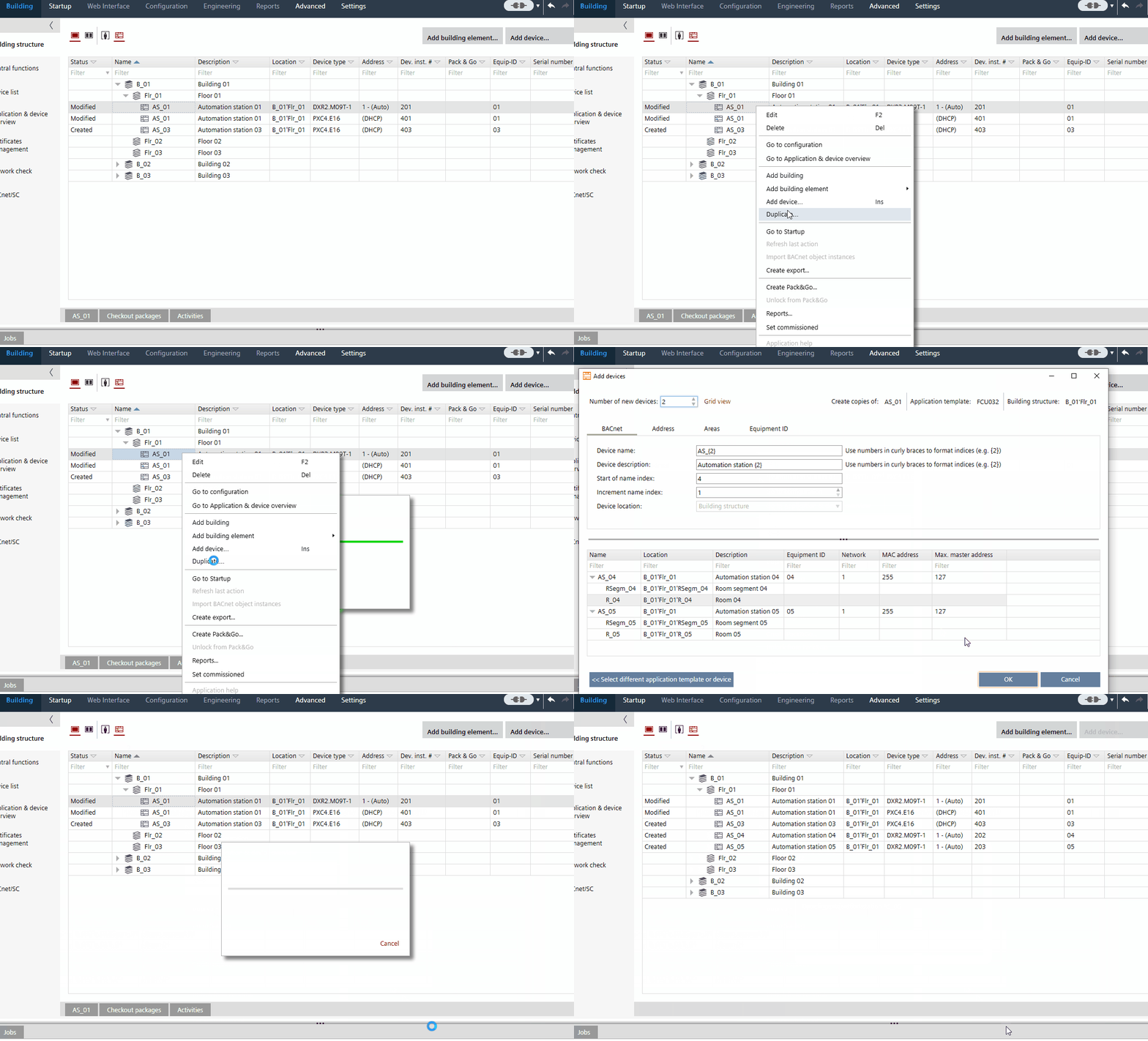
- Right-click a device and select Duplicate... from the context menu.
- Select the number of new devices.
- Confirm with OK.
- A copy on the same building structure level is created.

- When copying a device the instance data, the I/O assignment and the assignment data of the source device are copied into the newly created device.
- No BACnet/SC configuration is adopted when a device is created or duplicated.