M-bus tracing
Run a trace of the M-bus network/device and save the M-bus trace data in a defined format.

M-bus tracing is not available through MS/TP devices. It is available for MS/TP devices when connected via the WLAN since we have no bandwidth restriction there.
- Go to Engineering.
- Open the M-bus task and go online.
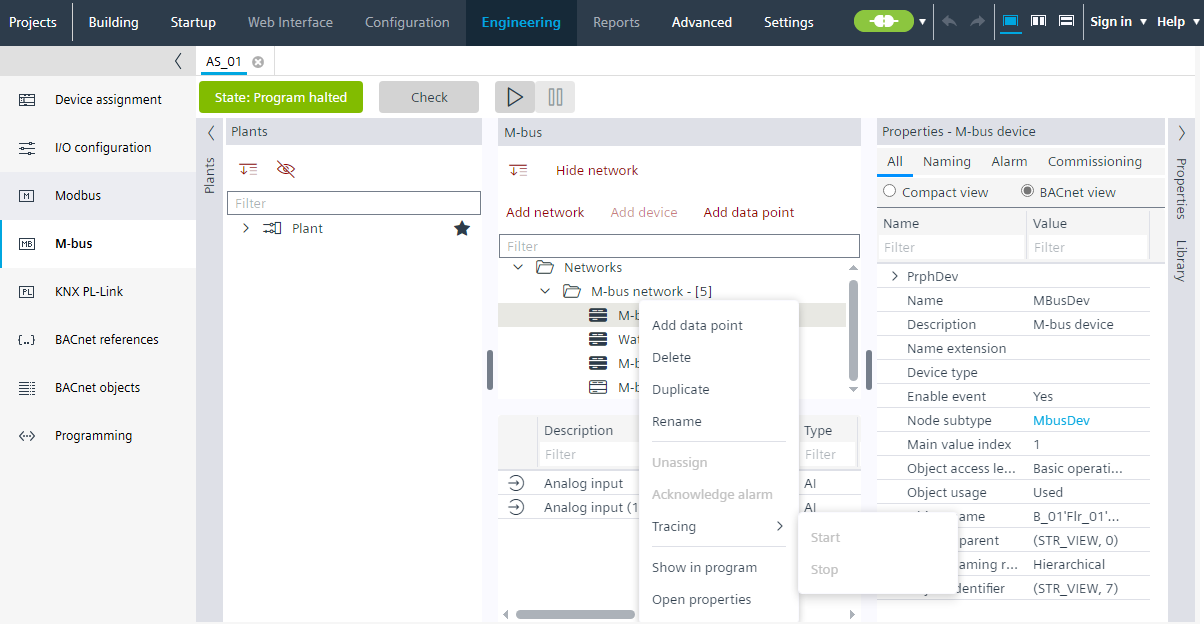
- Right-click the M-bus device and click Tracing > Start.
- A Trace - M-bus network window displays on the right. You can see the data in a raw format. Pause, Stop and Export buttons are available.
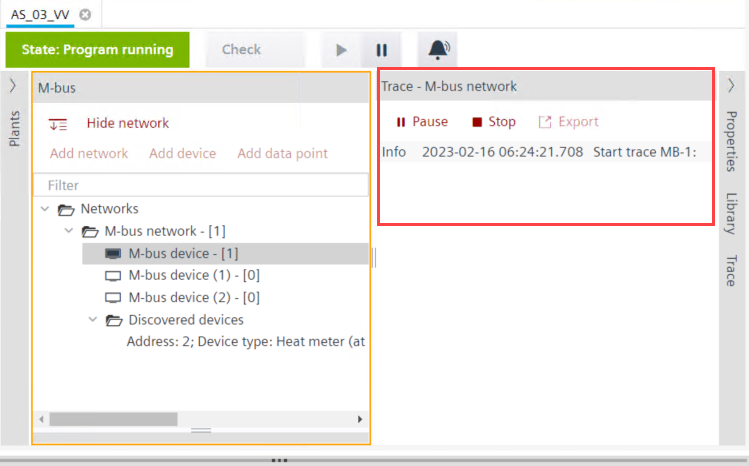
- Click Pause to make a temporary halt to the tracing operation.
- Click Stop to cease the tracing operation. An alternative option is to do a right-click the M-bus device and click Tracing > Stop.
- Click Export to save the file. Save the file in .pcapng format and click Save.
- The trace data is stored in the .pcapng file.