Assigning BACnet objects in the Object view from Project tree to XFB
Assign or change BACnet objects to XFB in the Chart objects list. This feature can be applied to unprotected, read-only or protected charts in the control program.
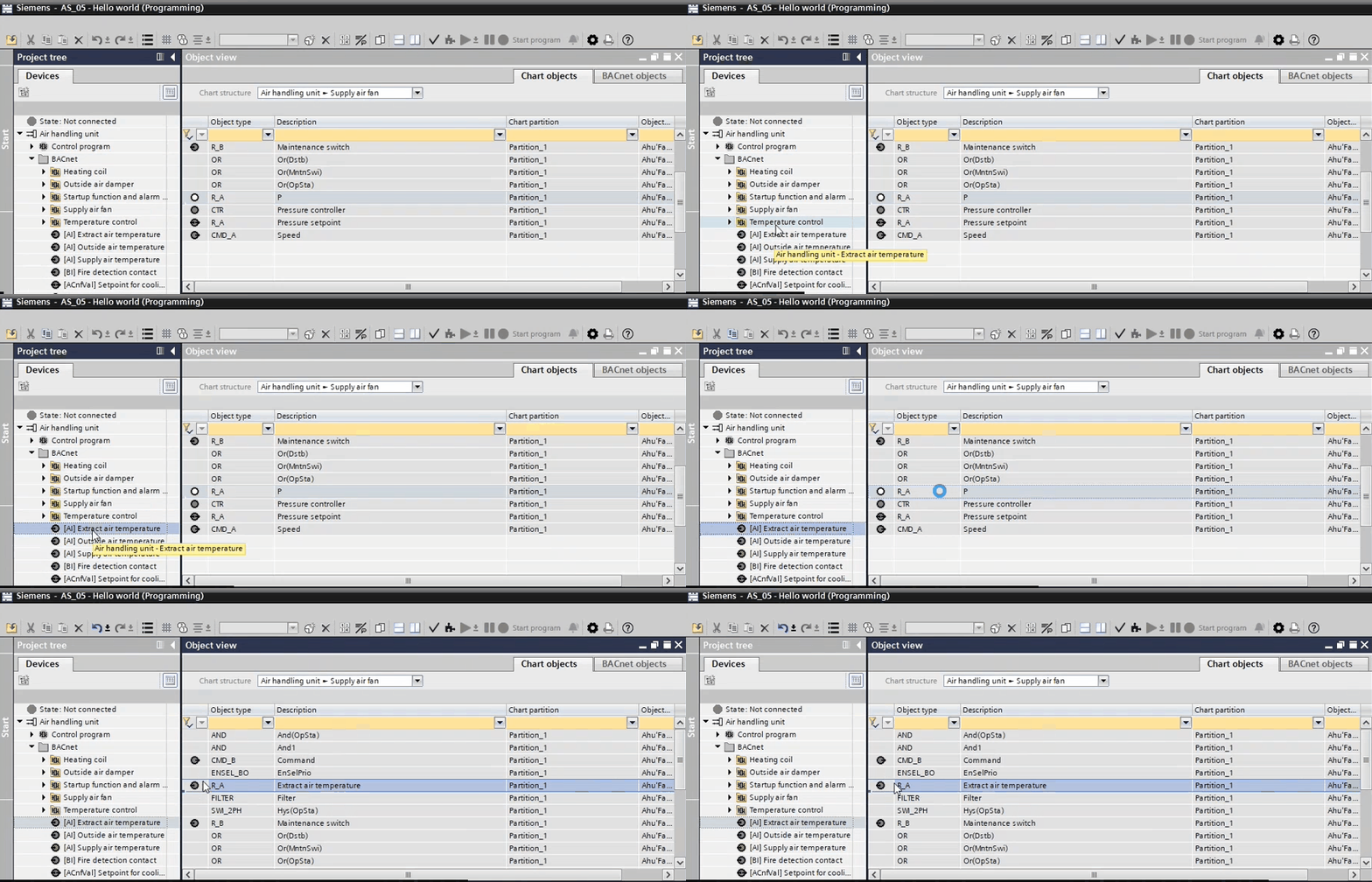
- In the Object view, the Chart objects list is open.
- In the Project tree, select the data point.
- Drag the data point
 to a compatible data point type, for example, analog input to an analog input. If the data point is not compatible, the
  symbol displays.
- The BACnet object is assigned to the function block in the Chart objects list as well as in the control program.