Set ABT Site as BACnet/SC node
As soon a hub exists, ABT Site can be configured as BACnet/SC node.
- In the Common toolbar, select the arrow next to the Connect
 .
. - Select the Ethernet tab.
- Select the Target selection option IP.
- Select the BACnet/SC check box.
- In the Hub address drop-down list, select an existing hub.
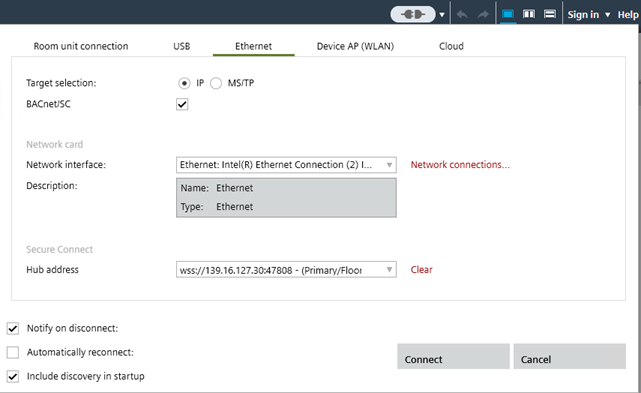
- Click Connect when online.
- The communication icon changes to
 .
.