Assign/unassign a discovered device to the M-bus device
After you have discovered the M-bus devices, you can assign them to an offline created M-bus devices of the same network.
- Scan your M-bus network as described in section M-bus network scan.
- Go to Building > Building structure.
- Open the M-bus task.
- Expand the Discovered devices folder.
- Select a discovered device.
- Right-click and select Read device data.
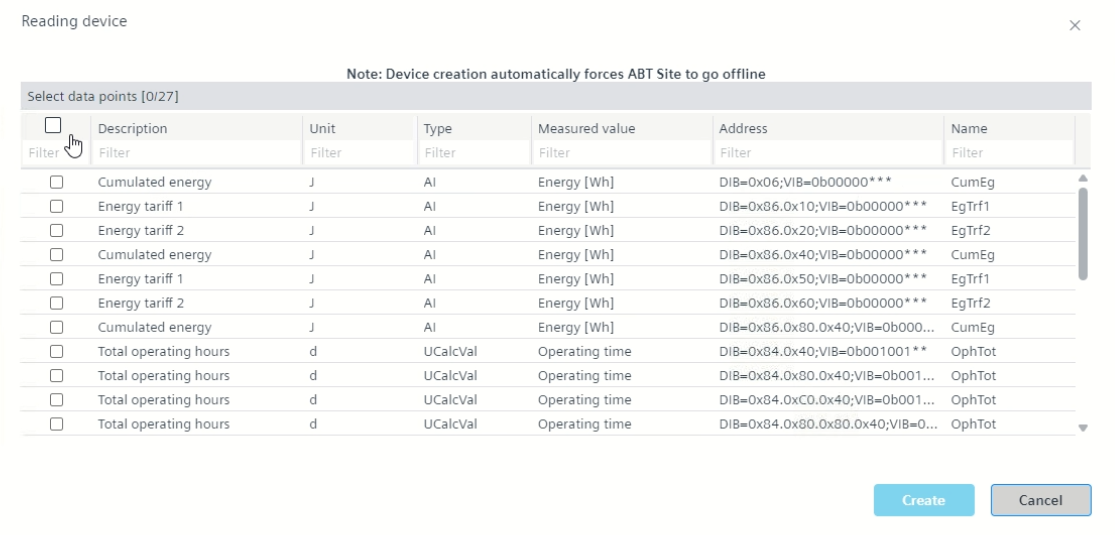
- The Reading device dialog box displays.
- Click Start.
- Select the required data points and click Create.
- Drag and drop the discovered device on an already offline created M-bus devices of the same network.
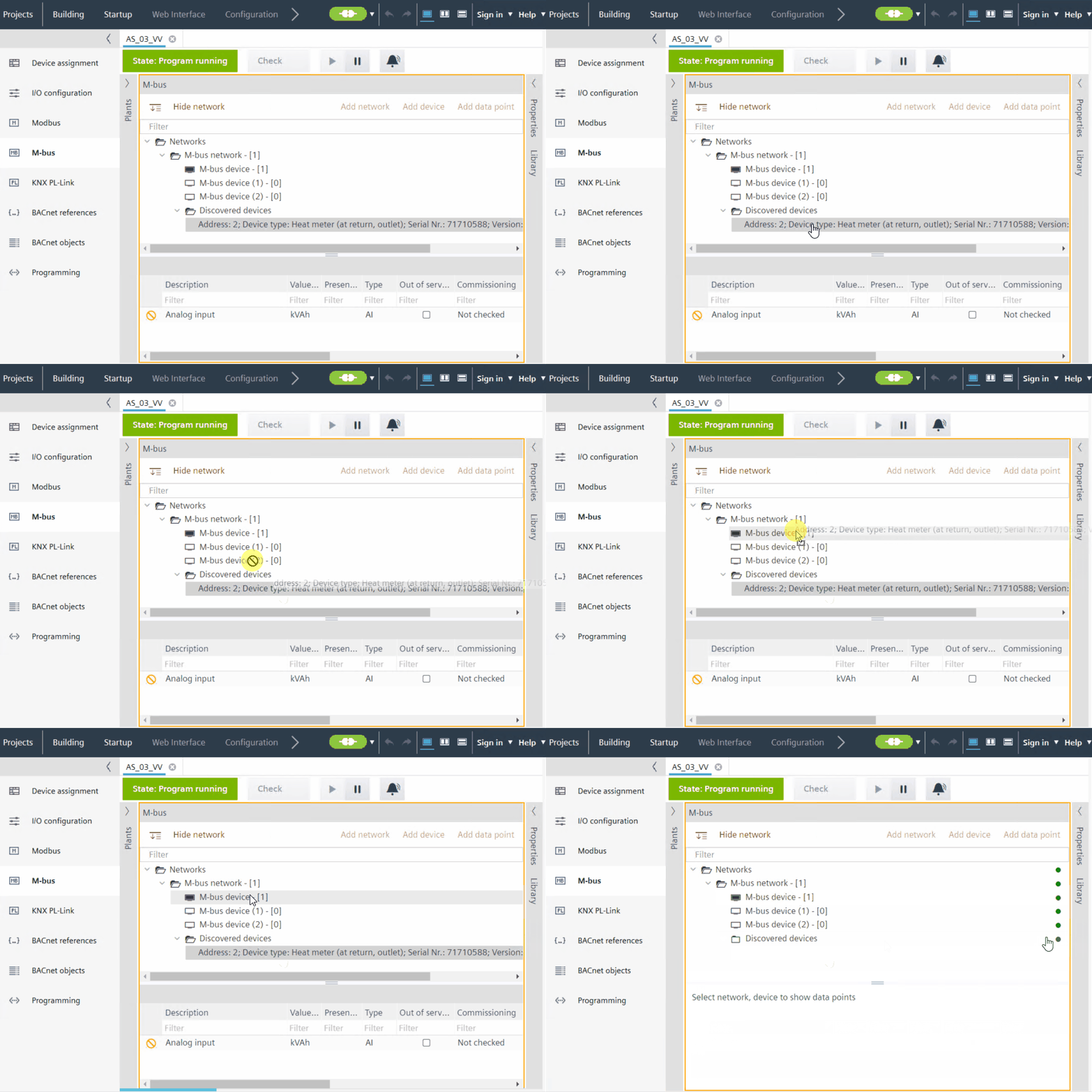
- After a few seconds, the discovered device is assigned to the M-bus device and disappears from the Discovered devices folder once assignment is complete.
Note: When you assign a device with primary address 0 from the orphan list to an engineered device with no primary address, after assignment the primary address changes to 253. For multiple devices with primary address 0, the uniqueness check is disabled. - (Optional) To unassign the device, right-click the M-bus device and click Unassign.
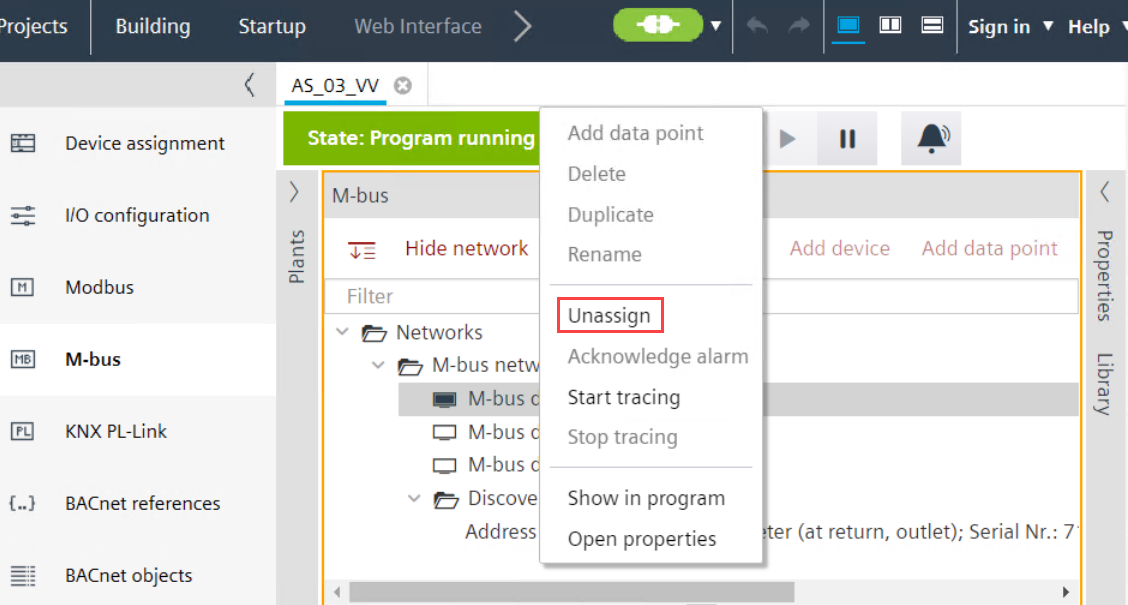
- The discovered device is now unassigned from the M-bus device and the device details display again under the Discovered devices folder.
- Check the assigned Serial number and Network address in the Properties tab.

Before you start assigning, make sure the offline created M-bus device and the matching discovered devices either uses the same primary address or the address property field of the offline created M-bus device is empty. Note that, if you copy an assigned M-bus device into the custom library, it will keep its primary address. Therefore, either adjust or delete the address for next assigning.