Set primary address for a M-bus device
You can set the primary address of a discovered M-bus device that is not assigned. Setting a device address is also possible by the device itself (e.g. via its display/dipswitches or 3rd party tools).
- Scan your M-bus network as described in section M-bus network scan.
- Go to Building > Building structure.
- Open the M-bus task.
- Expand the Discovered devices folder.
- Right-click the M-bus device details given below the Discovered devices folder.
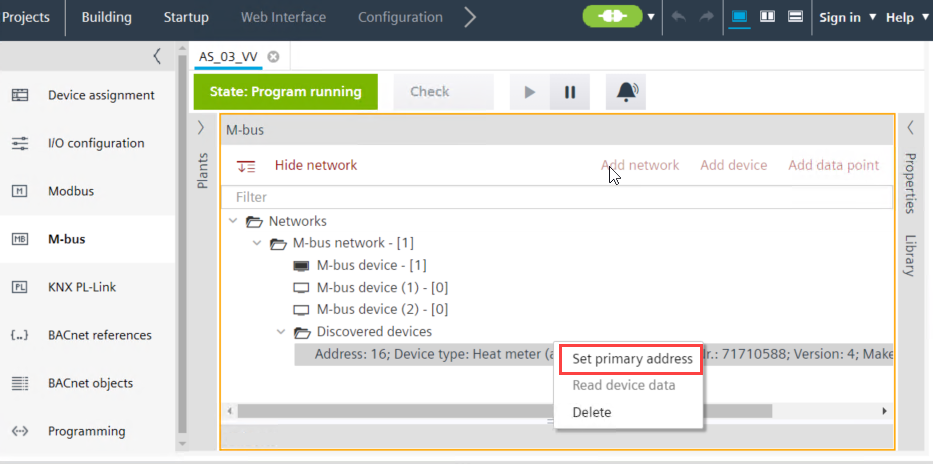
- To delete the device from the list, click Delete.
Note: Deleting a device removes it from the discovery device list. Refer to the section M-bus network scan to recover it again. - To change the address of the device, click Set primary address
- A Set primary address window displays.
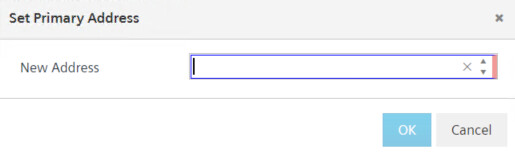
- Enter the device address in the New address field and click OK.
- After waiting a few seconds, the device address is updated and a
Command successfulmessage is displayed in the Log view.