Checking the notification classes template in the project
The notification class template must be checked before the first device is created in the building structure.
Notification classes
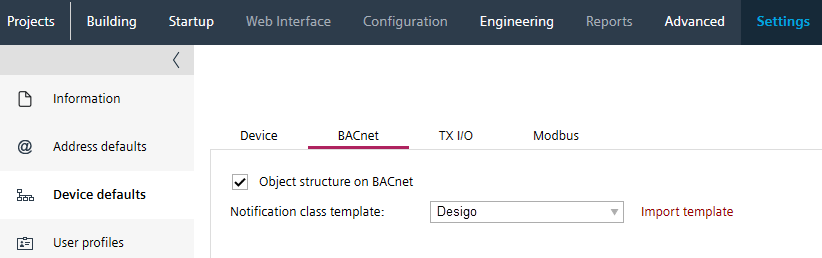
- Go to Settings.
- Open the Device defaults task.
- Select the BACnet tab.
- In the Notification class template section, select the appreciate notification template file from the drop-down list:
- AMEV
- Desigo
- KBOB
- Customized
- The notification class file is verified and will be used for all new devices.

For existing devices, the notification class template must be updated for the devices if necessary.
Replace a notification class template of a device