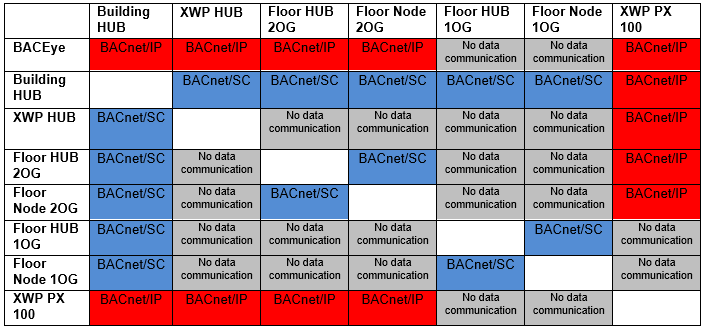
Transition Floor hub, 2nd floor to BACnet/SC (BACnet/IP enabled - IP routing enabled)
Configuration ABT Site – BACnet/SC
Shows the BACnet/SC configuration in ABT Site. BACnet/IP is set to Disabled on devices AS_11 – Floor hub 1st floor, AS_12 – Floor node 1st floor und AS_22 – Floor node 2nd floor, while the others are set to “Enabled”. In addition, BACnet/IP routing on device AS_21 – Floor hub 2nd floor is enabled BACnet/IP is disabled on the remaining devices.
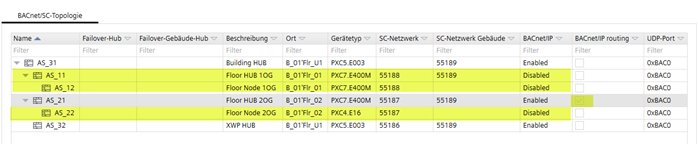
Topology and data communication
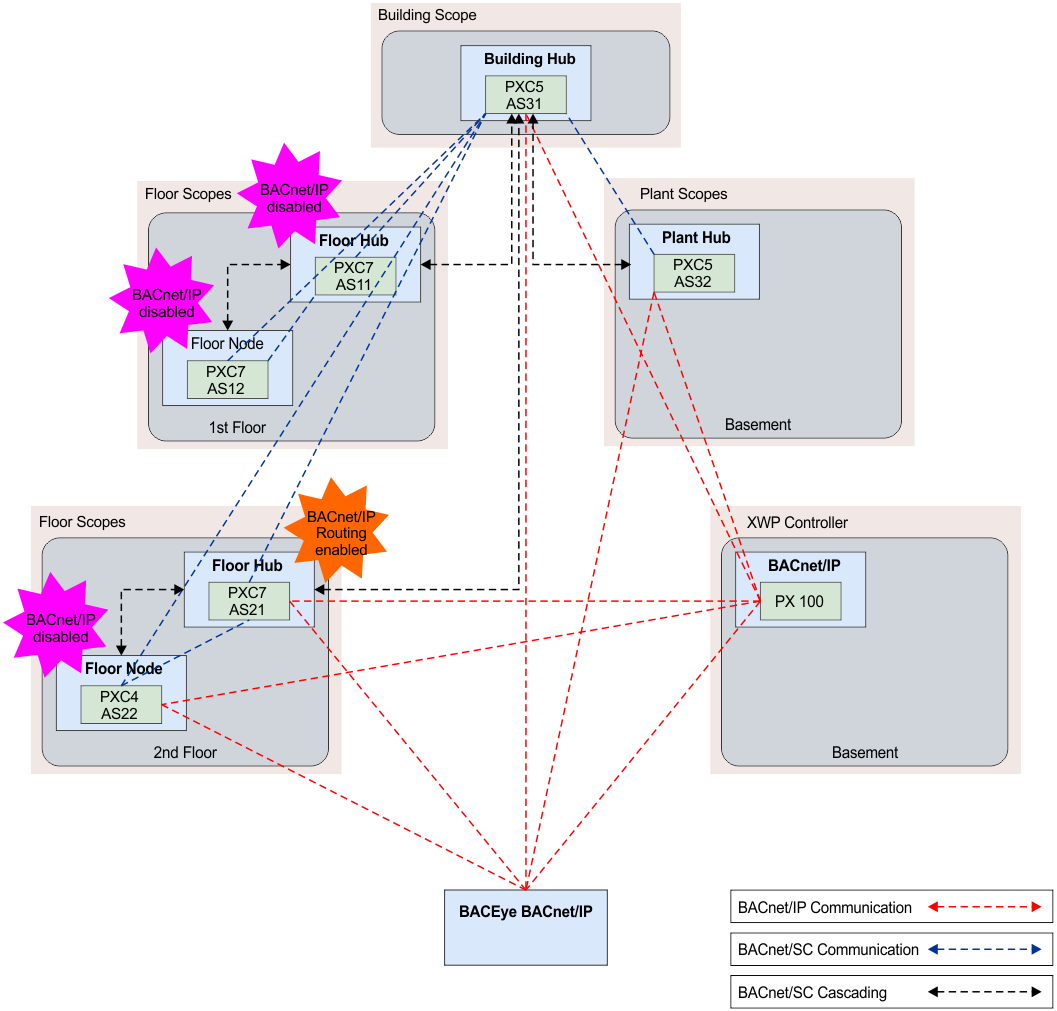
Illustrates which devices can communicate data as well how the data is transmitted. Disabling BACnet/IP on device AS_11 – Floor hub 1st floor, AS_12 – Floor node 1st floor, and AS_22 – Floor node 2nd floor renders the devices and BACnet objects invisible from the point of view of BACnet/IP. However, activating BACnet/IP routing on device AS_21 – Floor hub 2nd floor renders controller AS_22 – Floor node 2nd floor visible again.
The devices can no longer be accessed via BACEye and the BACnet reference from the XWP PX 100 controller on Floor hub, 1st floor and Floor node, 1st floor, no longer operate (reliability). Referencing to AS_22 – Floor node 2nd floor, is working again since the device can be reached via the routing function on AS_21 – Floor hub 2nd floor.

The BACnet/SC connection from the building hub to the floor node illustrates a visual communication path to depict functionality only. Data is always transmitted via the floor hub!
Status of BACnet/SC implementation | ||
|---|---|---|
| BACnet/IP | BACnet/SC compliant |
Building hub | Yes | No |
Basement (Plant hub) | Yes | No |
XWP controller | Yes | No |
1. floor | No | Yes |
2. floor | Yes | No |