Example: Using outside air temperature over BACnet references
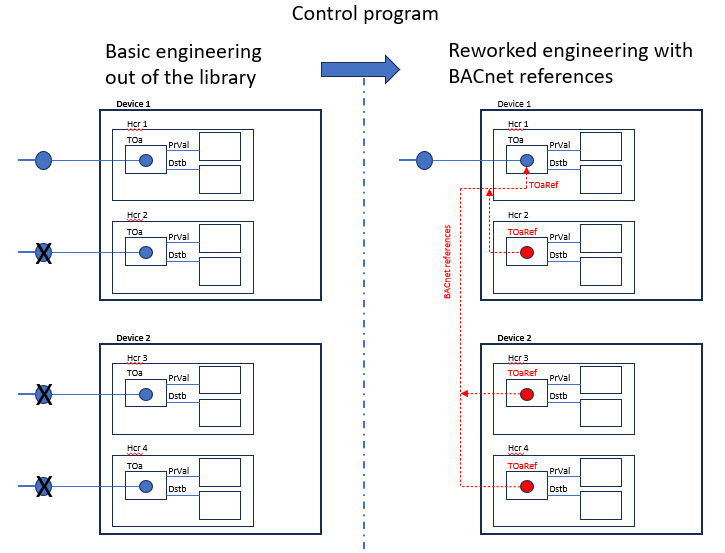
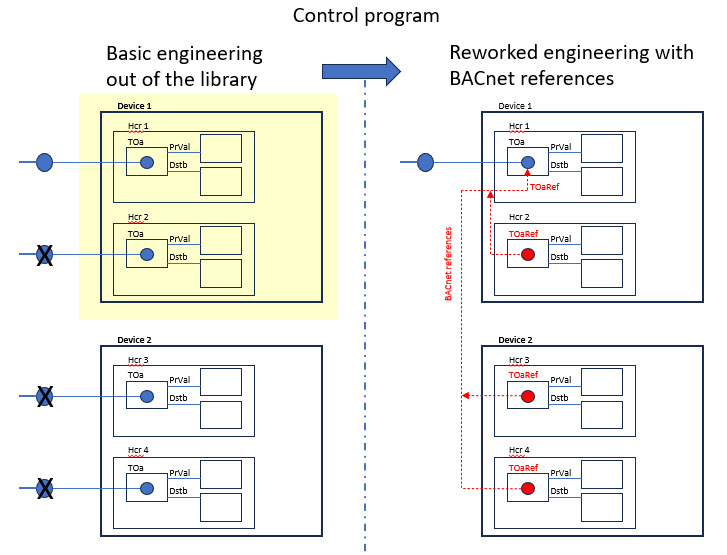
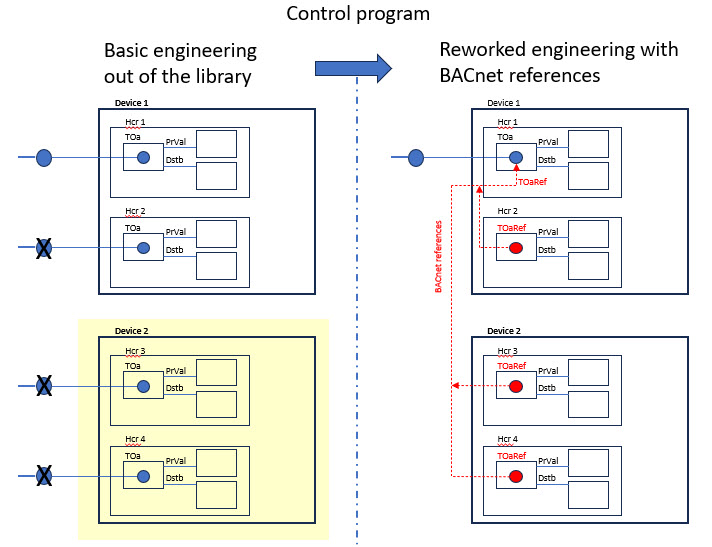
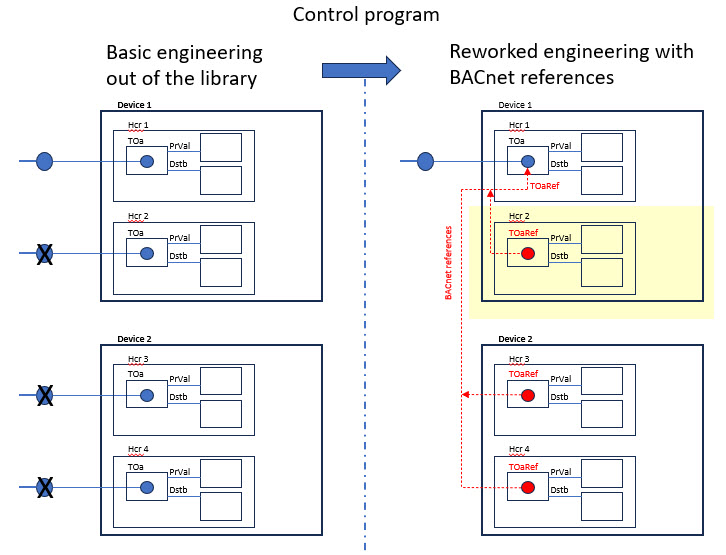
The example includes 2 devices with 2 heating circuits each. When creating the control program, 4 heating circuits are taken from the library, each with an outside temperature sensor pre-programmed. Since there is only 1 physical temperature sensor on the outside wall, 3 heating circuits must be linked to the physical outside air temperature object via a BACnet reference object.
As the corresponding engineering takes place in ABT Site as well as in the field program editor, the order of the example must be observed.
Example:
1. Naming settings for I/O replacement
In order for the automatic replacement of the objects to work, the setting must first be checked or, if necessary, changed.
- Go to Settings.
- Open the Naming defaults task.
- Select the Plant automation tab.
- In the Naming settings for I/O replacement section:
- From the Use I/O description of drop-down list, select Target (drop destination).
- From the Use I/O name drop-down list, select Target (drop destination).

2. Creating devices
- Go to Building > Building structure.
- Define the first device.

3. Creating heating circuits 1 and 2 in the programming editor for device 1
- In the building hierarchy, select device 1.

- Right-click and select Go to programming.
- The Programming editor opens.
- Select the Library tab.
- Select a plant from Plants > Nested, for example, Hcr22x Heating circuit.
- Drag the selected plant into + Add plant in the Project tree.
- Rename the properties of the Heating circuit 1:
a. Select the BACnet properties tab or right-click and select Properties..
b. Select the Naming tab.
c. In the Name field, replace the default name with a unique Name extension.
d. In the Description field, replace the default name with a unique description.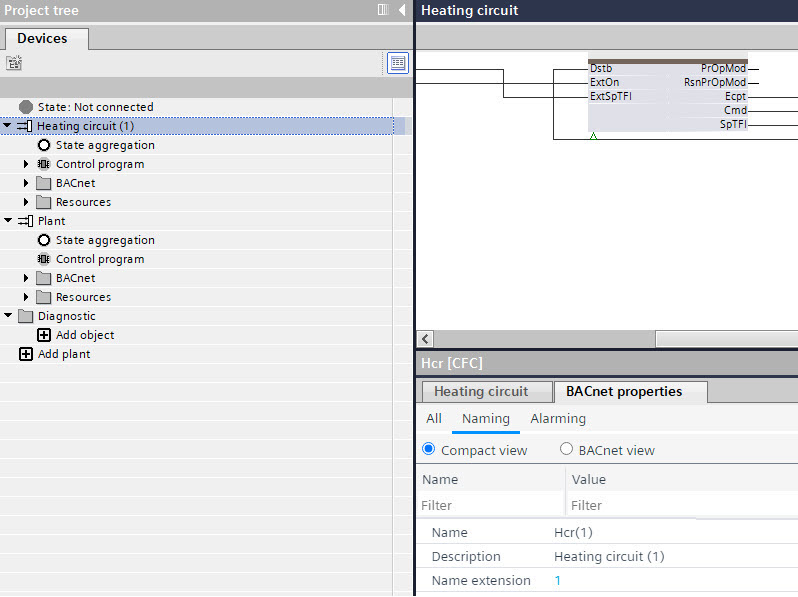
- Repeat the steps 4 to 6 for heating circuit 2 or use the Duplicate function.
- In the Project tree, delete the default Plant.
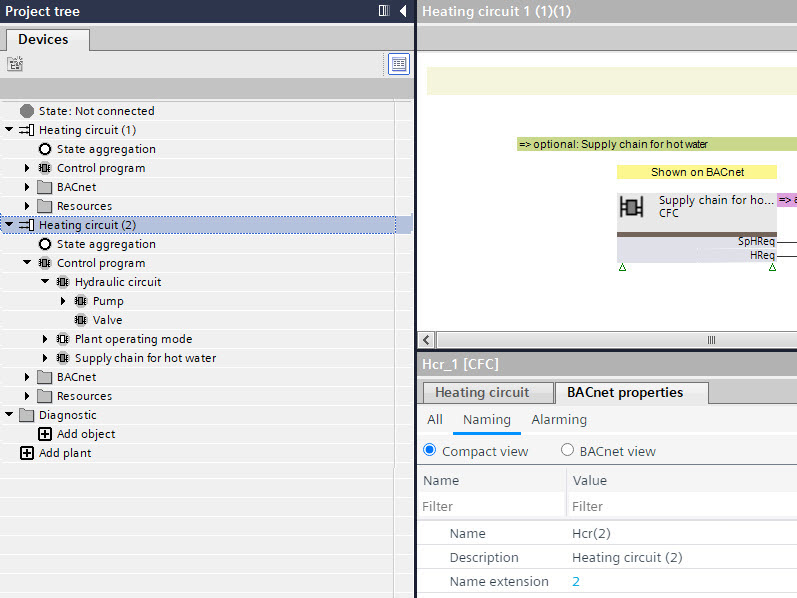
- The heating circuits 1 and 2 in the device 1 are created.
4. Creating heating circuits 3 and 4 in the programming editor for device 2
- In ABT Site, go to Building > Building structure.
- In the building hierarchy, select device 1.
- Right-click and select Duplicate.
- The Add devices dialog box opens.
- Rename the Device name and the Device description name.
- Click OK.
- The device 2 with heating circuit 3 and 4 is created.
- Select the device 2 with heating circuit 3 and 4.

- Right-click and select Go to programming.
- The Programming editor opens.
- In the Project tree, right-click the Heating circuit 1 and select Properties.
- The Properties dialog box opens.
- Rename the properties of the Heating circuit 1 to 3:
a. Right-click and select Properties.
b. In the Name field, replace the default name with a unique Name extension.
c. In the Description field, replace the default name with a unique description. - Rename the properties of the Heating circuit 2 to 4.
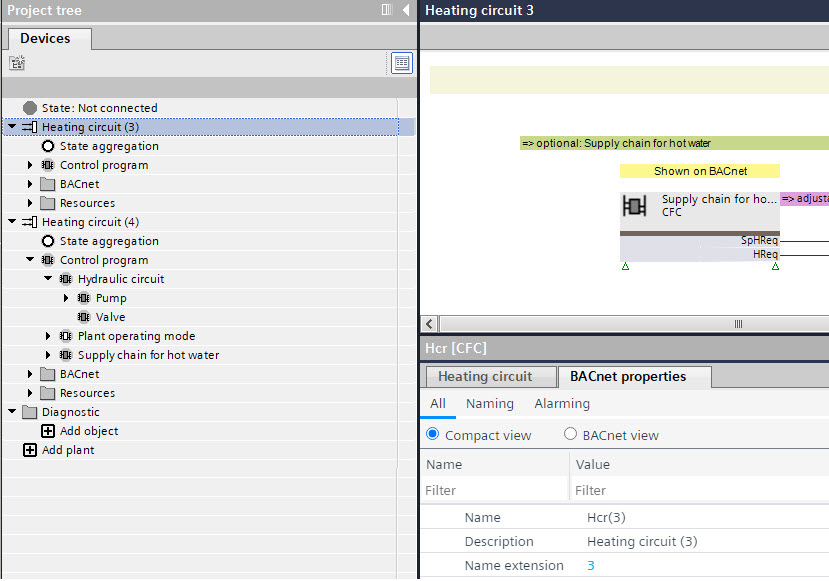
- The heating circuits 3 and 4 in the device 2 are created.

After completing the control program for the 4 heating circuits, 4 outside air temperature sensors are got created. Since the building only has only 1 physical outside temperature sensor, 3 created sensors must get replaced by BACnet references to that physical sensor.
5. Creating a BACnet reference for heating circuit 2 in device 1
- In ABT Site, go to Building > Building structure.
- In the building hierarchy, select device 1.

- Right-click and select Go to engineering.
- Open the BACnet references task.
- Select the Projects tab.
- In the Projects area, expand the building hierarchy.
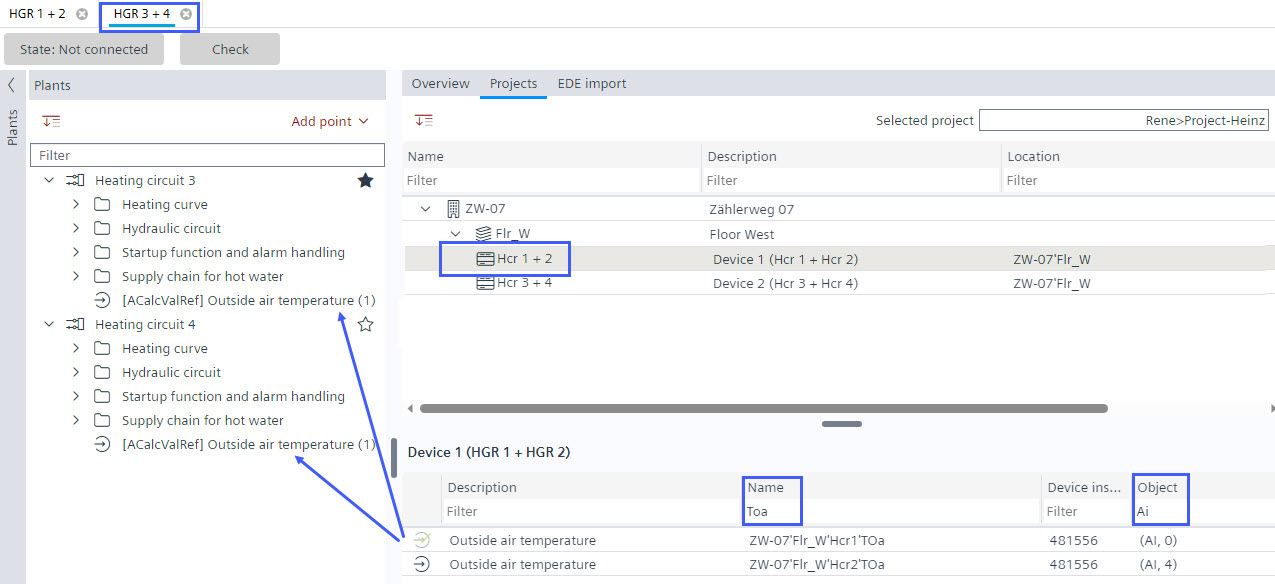
- Select the device 1 with Hcr 1 + 2.
- Filter for the outside air temperature data points:
- In the column Name, enter TOa.
- In the column Object enter AI.
- The data points for the outside air temperature of heating circuits 1 and 2 are displayed.
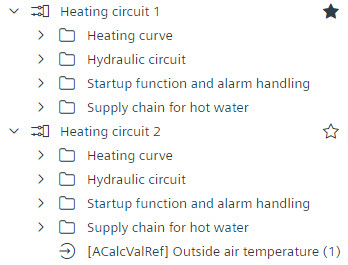
- Drag the data point from heating circuit 1 to the Plants navigation view of heating circuit 2, this will create a new BACnet reference in Heating circuit (2), referencing the outside air temperature of Heating circuit (1).
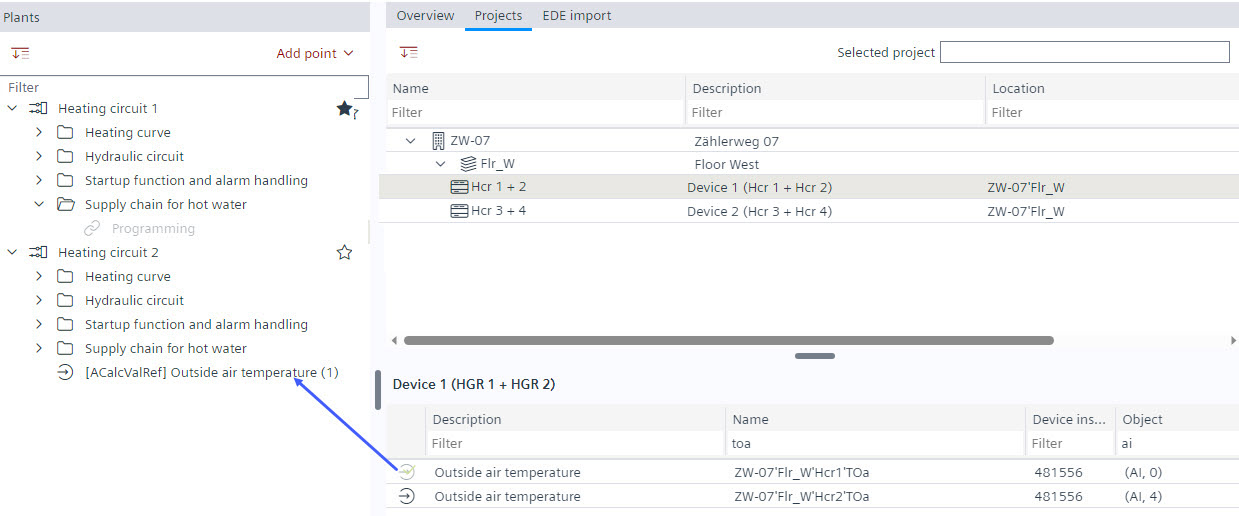
6. Creating a BACnet reference for heating circuit 3 and 4 in device 2
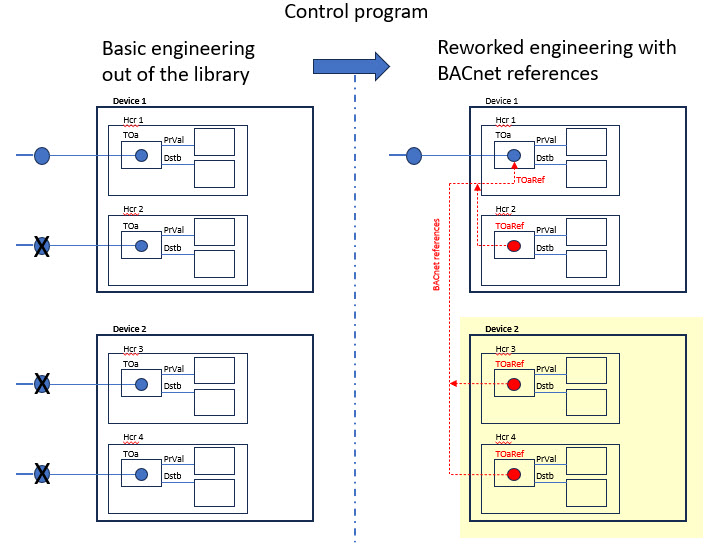
- In ABT Site, go to Building > Building structure.
- In the building hierarchy, select device 2.
- Right-click and select Go to engineering.
- Open the BACnet references task.
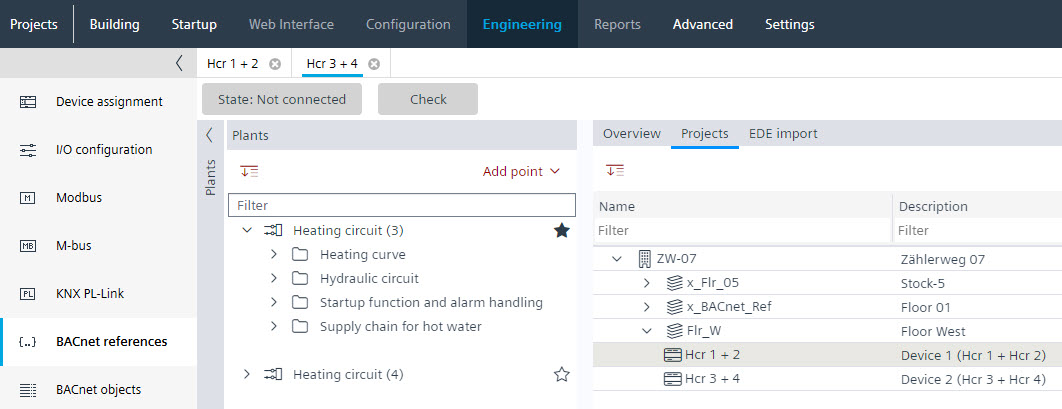
- Select the Hcr 3 + 4 tab.
- Select the Projects tab.
- In the Projects area, expand the building hierarchy.
- Select the device 1 with Hcr 1 + 2.
- Filter for the outside air temperature data points:
- In the column Name, enter TOa.
- In the column Object enter AI.
- The data points for the outside air temperature of heating circuits 1 and 2 are displayed.
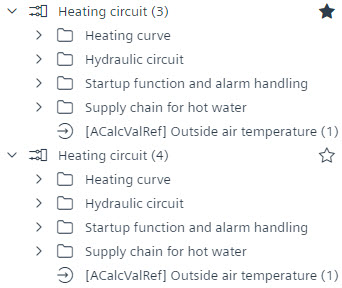
- Drag the data point from heating circuit 1 to the Plants navigation view of heating circuit 3, this will create a new BACnet reference in Heating circuit (3), referencing the outside air temperature of Heating circuit (1).
- Drag the data point from heating circuit 1 to the Plants navigation view of heating circuit 4, this will create a new BACnet reference in Heating circuit (4), referencing the outside air temperature of Heating circuit (1).
7. Replacing the default I/O data point in the control program with the BACnet reference of device 1
- In the building hierarchy, select device 1.
- Right-click and select Go to programming.
- The Programming editor opens.
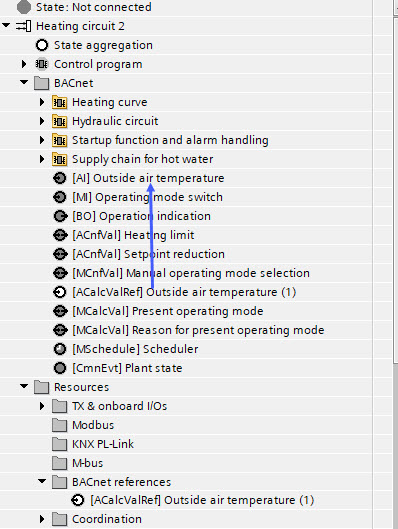
- In the Project tree, expand the BACnet folder of heating circuit 2.
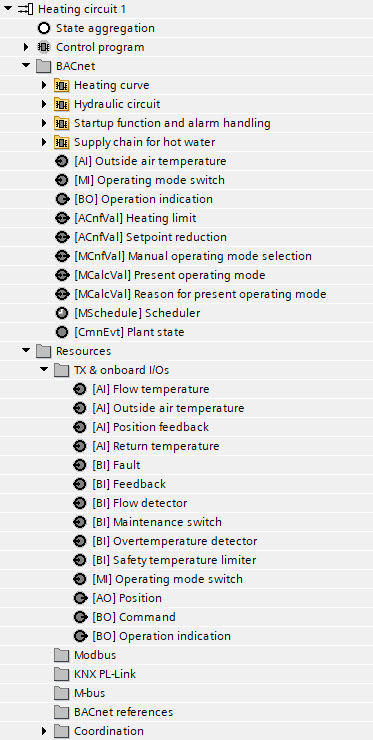
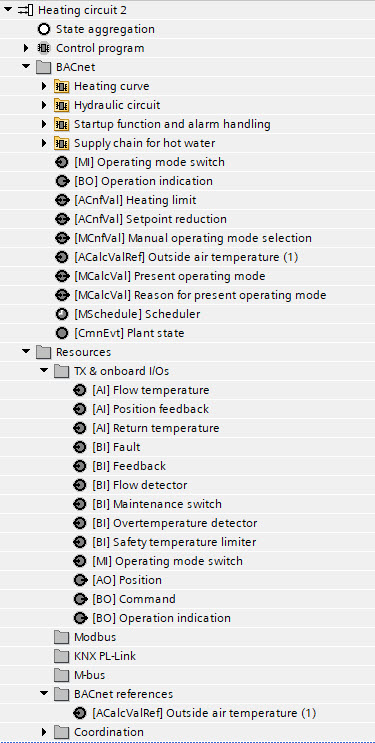
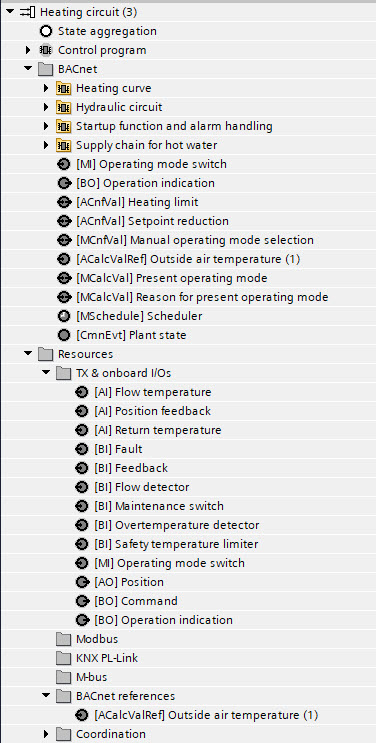
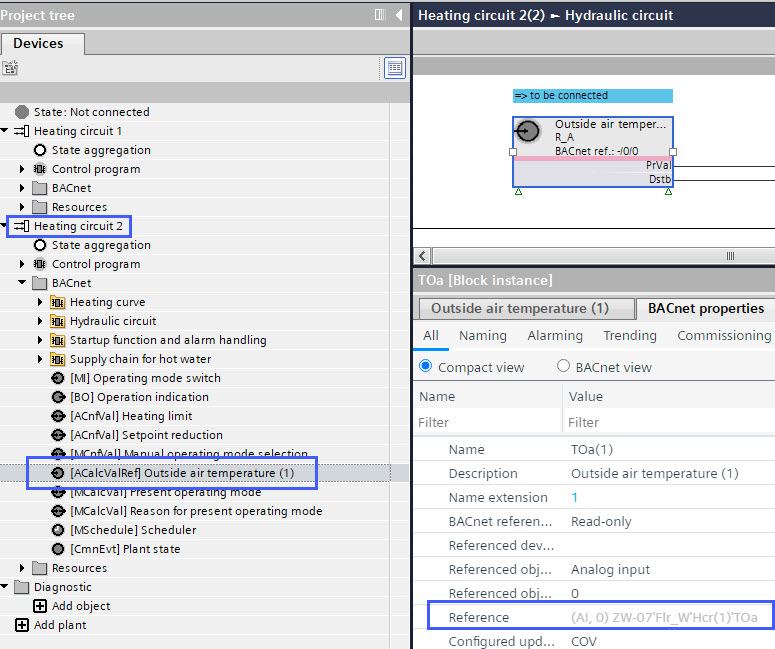
- In heating circuit 2, drag the data point [ACalcValRef] Outside air temperature (1) over the data point [AI] Outside air temperature.
- The I/O replacement dialog box opens.
- All block names with a data point TOa are listed.
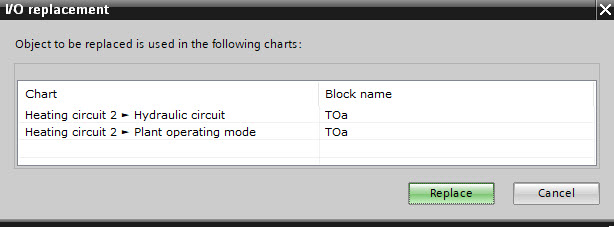
- Click Replace.
Note: Selecting a data point is not necessary, the functionality replaces all listed data points. - The data point [AI] Outside air temperature is replaced with the data point [ACalcValRef] Outside air temperature (1) (and the name is adjusted to Outside air temperature, without the extension (1)).
- The data point [ACalcValRef] Outside air temperature (1) is marked as assigned to the control program.
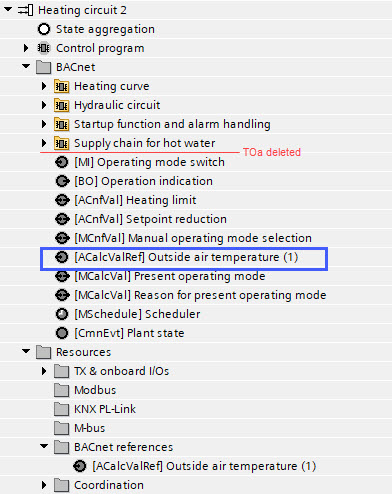
- The default data point information in the control program are replaced with the BACnet reference.
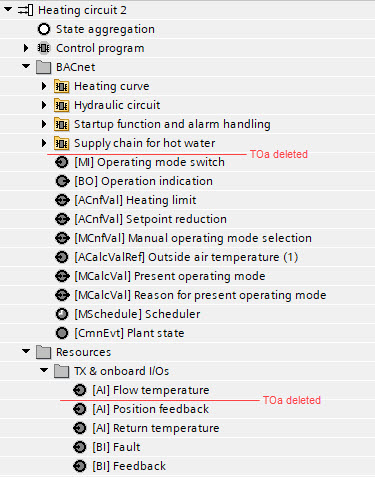
- The data point Outside air temperature from heating circuit 2 is deleted in the BACnet folder as in the TX & onboard I/Os folder.
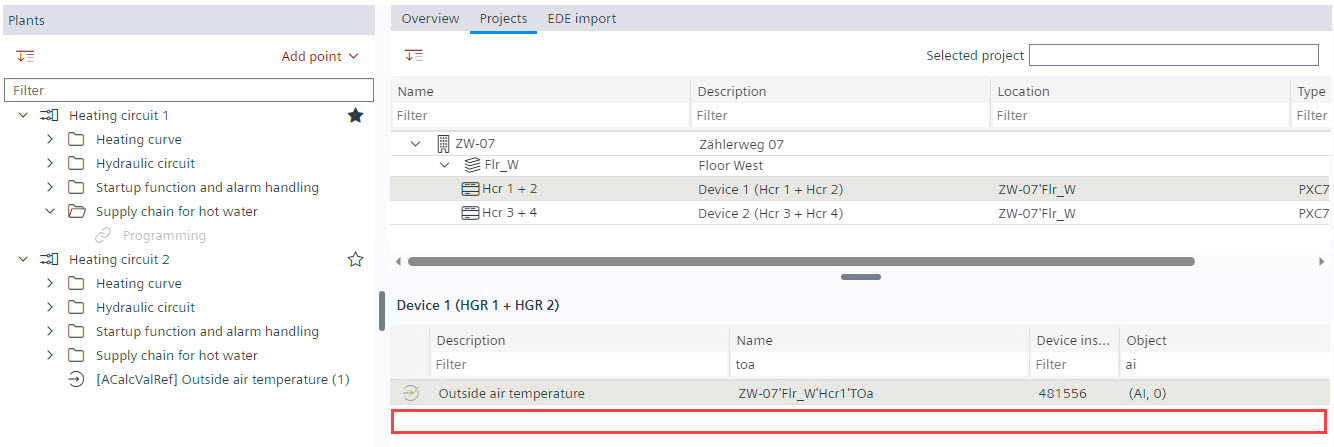
- The data point Outside air temperature from heating circuit 2 is deleted from the Projects area of ABT Site as well.
8. Replacing the default I/O data point in the control program with BACnet reference of device 2
- In the building hierarchy, select device 2.
- Right-click and select Go to programming.
- The Programming editor opens.
- In the Project tree, expand the BACnet folder of heating circuit 3.
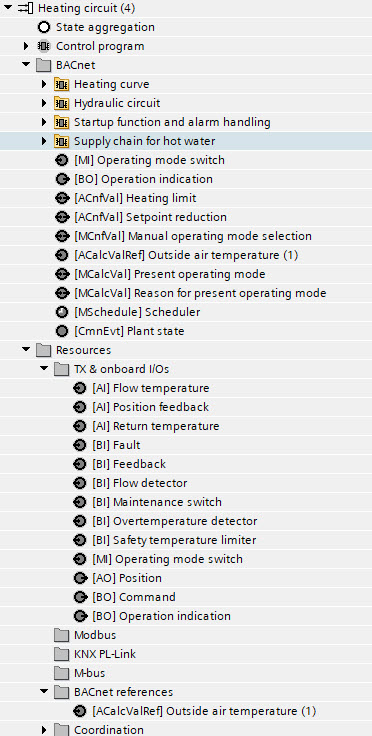
- In heating circuit 3, drag the data point [ACalcValRef] Outside air temperature (1) over the data point [AI] Outside air temperature.
(picture see heating circuit 2) - The I/O replacement dialog box opens.
- All block names with a data point TOa are listed.
- Click Replace.
Note: Selecting a data point is not necessary, the functionality replaces all listed data points. - The data point [AI] Outside air temperature is replaced with the data point [ACalcValRef] Outside air temperature (1).
- The data point [ACalcValRef] Outside air temperature (1) is marked as assigned to the control program.
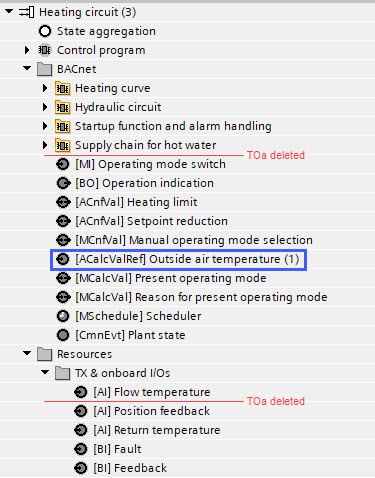
- The default data point information in the control program are replaced with the BACnet reference.
- The data point Outside air temperature from heating circuit 3 is deleted in the BACnet folder as in the TX & onboard I/Os folder.
- In the Project tree, expand the BACnet folder of heating circuit 4.
- In heating circuit 4, drag the data point [ACalcValRef] Outside air temperature (1) over the data point [AI] Outside air temperature.
(picture see heating circuit 2) - The I/O replacement dialog box opens.
- All block names with a data point TOa are listed.
- Click Replace.
Note: Selecting a data point is not necessary, the functionality replaces all listed data points. - The data point [AI] Outside air temperature is replaced with the data point [ACalcValRef] Outside air temperature (1).
- The data point [ACalcValRef] Outside air temperature (1) is marked as assigned to the control program.
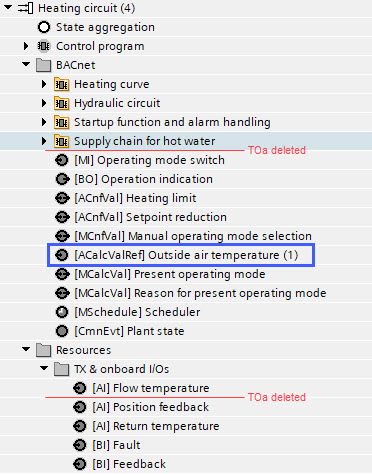
- The default data point information in the control program are replaced with the BACnet reference.
- The data point Outside air temperature from heating circuit 4 is deleted in the BACnet folder as in the TX & onboard I/Os folder.
- The data points Outside air temperature from heating circuit 3 and 4 are deleted from the Projects area of ABT Site.
Final result
Shows the data point situation in ABT Site (in the BACnet references task) and in the control program.
Device 1 | Device 2 | ||
|
|
|
|
|
|
|
|