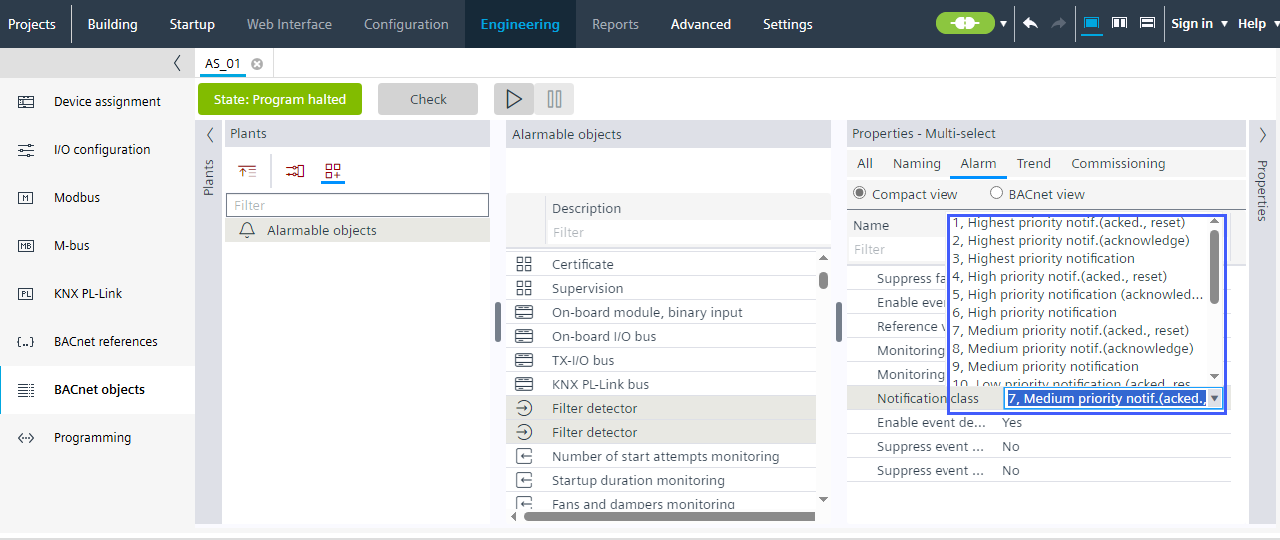
Mass operation of notification classes
Allows the efficient editing of identical properties of a notification class.
- Mass properties can only be edited while offline.
- Go to Building > Building structure.
- Right-click the device and select Go to engineering.
- Open the BACnet objects task.
- From the Special objects vie, select Alarmable objects.
- In the Alarmable objects list, select the objects you want to modify.
- Select the Properties > Alarm view tab and select Notification class property, or Notification class column in the table view.
- In the Notification class drop-down list, select the desired notification class.
- All selected objects are immediately updated with the new value.