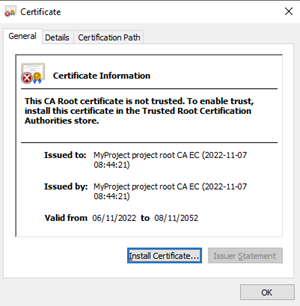
Show details of a IEEE 802.1X root certificate
- Go to Settings.
- Open the Certificates task.
- Select the IEEE802.1X certificates tab.
- Select a certificate.
- In the toolbar, click Show details.
- The Certificate dialog box from Windows opens.
- The certificate information displays.