Checking node connection
- The user is logged into a node.
- Navigate to Object view > Device > Infrastructure.
- Select Network port for secure connect and then
 .
. - The Network port for secure connect properties work area opens.
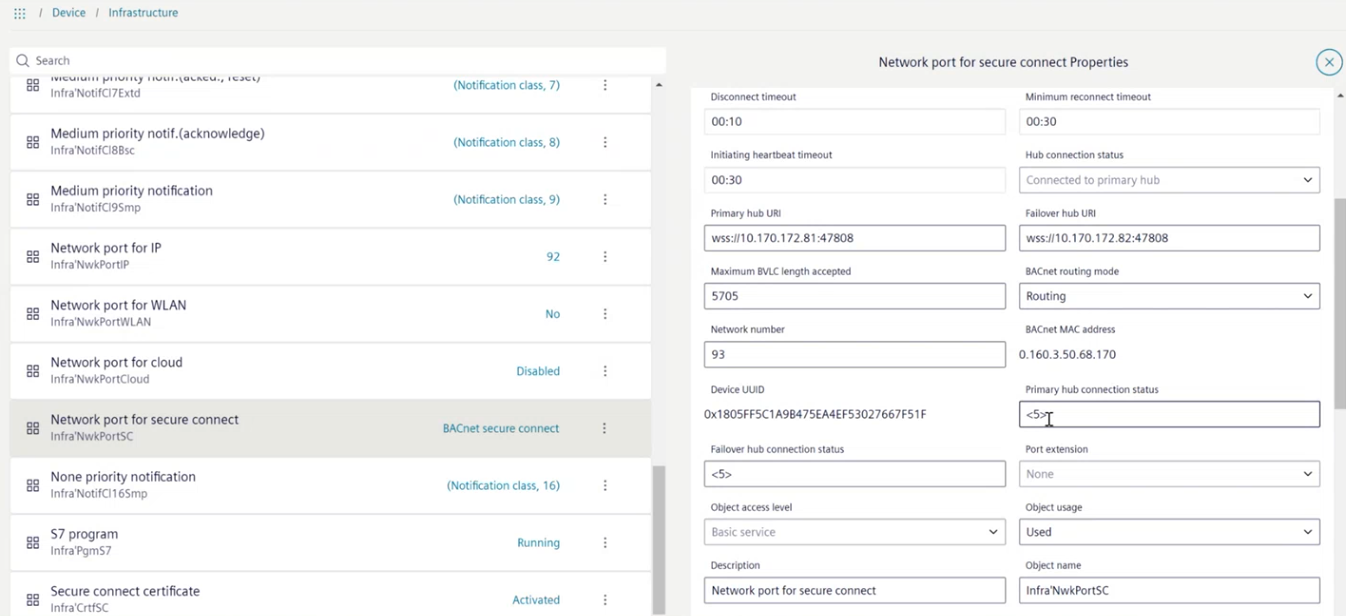
- In the field Hub connection status, check the connection status.
- If
Connected to primary hubis displayed, everything is fine and does not require further diagnosis. If a different message is displayed, more information can be displayed in the fields Primary hub connection status and Failover hub connection status. The number <5> displayed shows the amount of information available for this field.
Error analysis
- The Hub connection status does not show the
Connected to primary hubinformation.
Error list
- Select either the Primary hub connection status or the Failover hub connection status field.
- The Primary hub connection status work area opens.
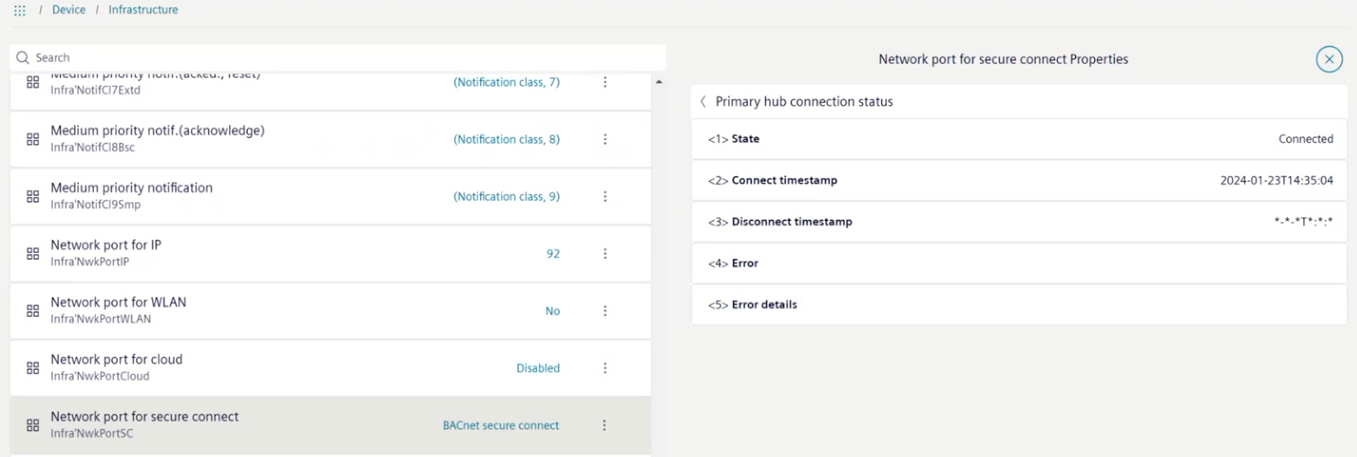
- Analyze the information displayed for further troubleshooting.

The time entry in the Connect timestamp row shows the time of the last connection attempt to the primary hub.