Modifying a calendar entry in an existing calendar manager
- The current configuration of the project settings must be uploaded first to avoid losing recent changes.
Uploading runtime instance data
- Go to Building > Building structure.
- Select the device where the calendar manager is stored.
- Select a calendar entry.
- Click Change.
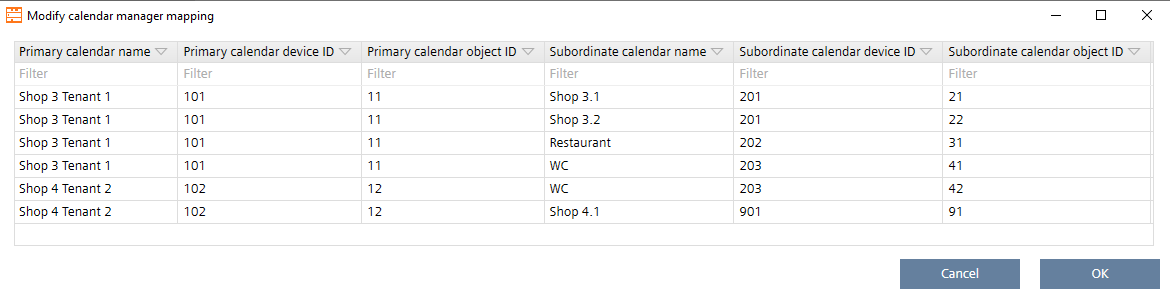
- The Modify calendar manager mapping dialog opens.
- Modify the data:
- In the Primary calendar name field.
- In the Primary calendar device ID field.
- In the Primary calendar object ID field.
- In the Subordinate calendar name field.
- In the Subordinate calendar device ID field.
- In the Subordinate calendar object ID field.
- Click OK.
- The modified calendar entries are changed and replaced in the existing calendar manager table.