Depiction and structuring of nested plants
The Programming editor has a graphics editor to program the plant.
Input blocks, output blocks, and the program logic are arranged in nested charts to improve the overview.
Plant depiction in the Programming editor
The plant example Ahu21x:
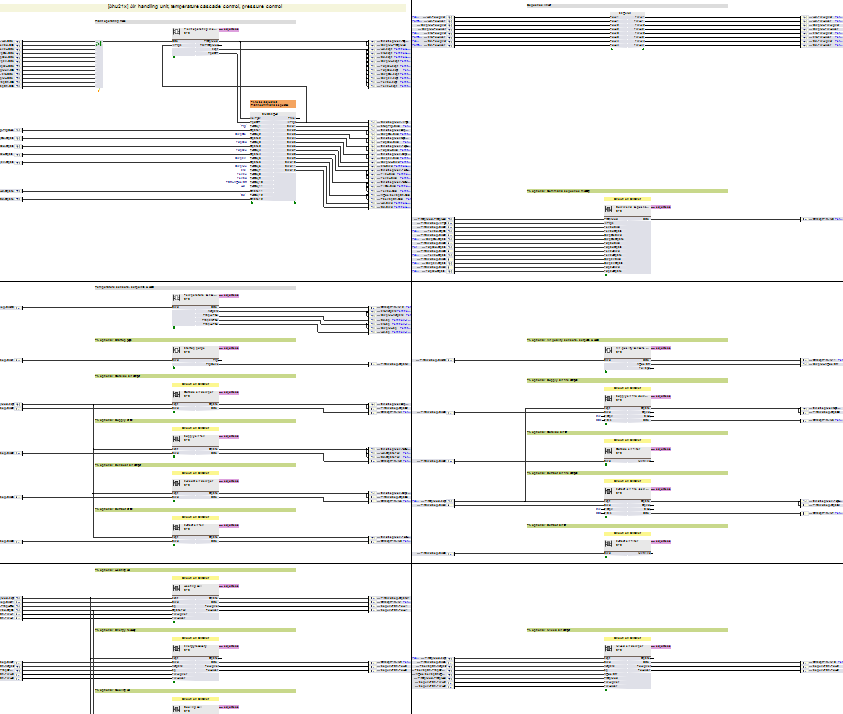
Arranging plant components in nested charts
The various plant components, including heating coils, fans or air dampers, are arranged in nested charts. Each nested chart strip includes input blocks, output blocks, and the program logic required for this plant component.
Example for nested chart "Outside air damper" as part of Ahu21x:
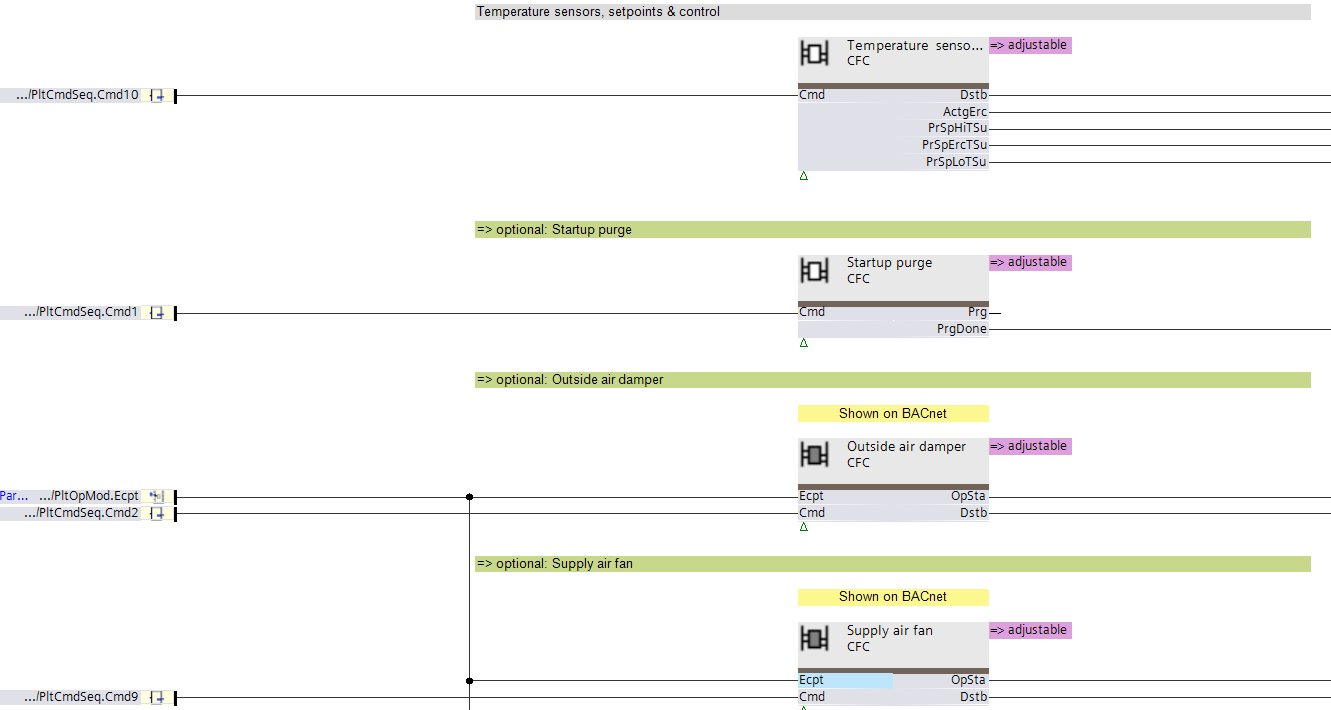
Textual elements around the nested chart
There are various text boxes around the nested chart.
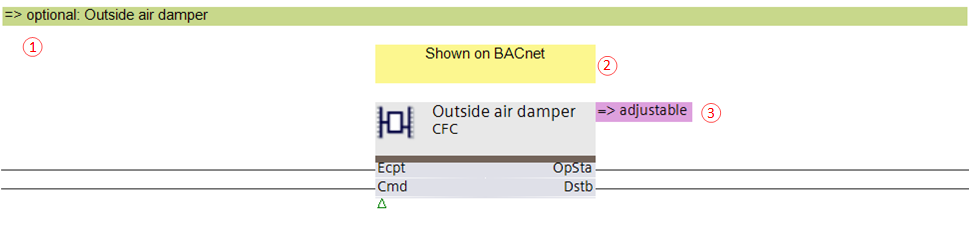
① Text box "=> optional:"
The functionality below this text box (up to the next green text box) is optional and belongs to a given option. The description of the option is in the text box.
② Text box "Shown on BACnet"
Indicates that a folder is automatically created for this chart.
③ Text box "=> adjustable"
Indicates, that the Function configurator can be launched, that this program block has alternatives in the library, and/or that options within the program block are available.
Content of the nested chart
Example of the content of the nested chart "Outside air damper" (of type Dmp21):
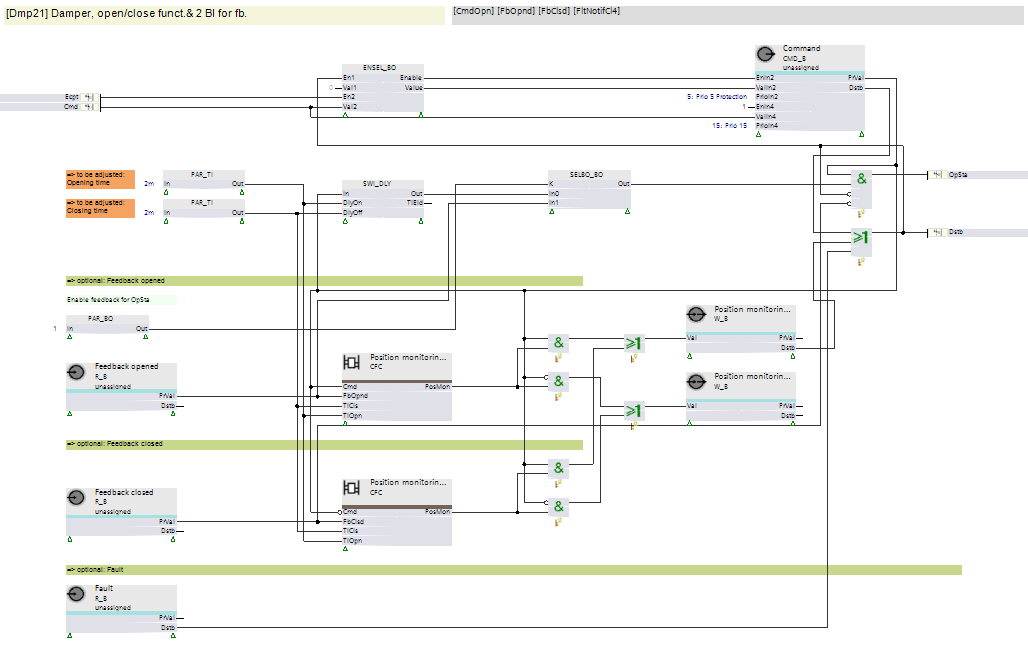
Arranging chart components in chart strips
The various chart components are arranged in horizontal chart strips. Each chart strip includes input blocks and output blocks and the program logic required for this plant component.
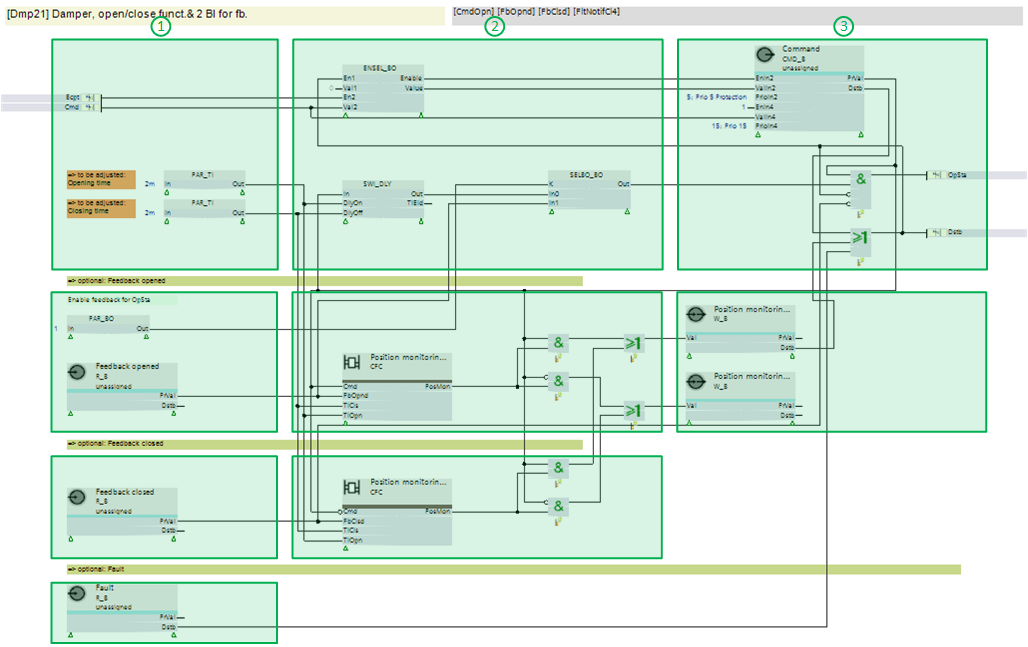
① Input blocks
② Program logic (function blocks and nested charts)
③ Output blocks
Textual elements in the nested chart
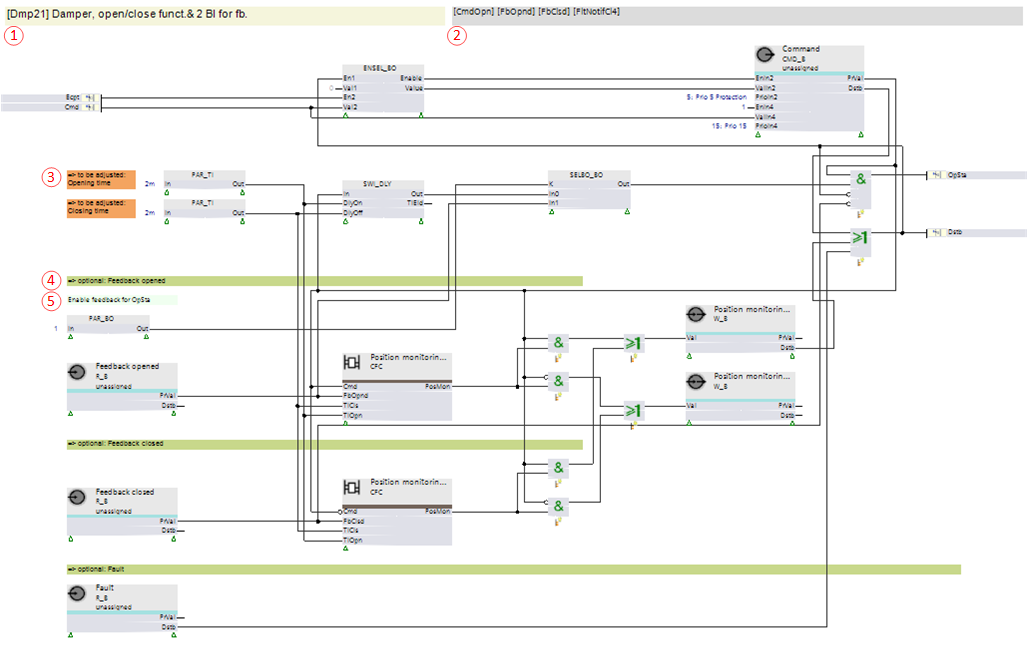
① Chart designation
Shows the node subtype (= function type = graphic tag) of the chart and its description.
② List of the predefined I/Os for this chart
Shows the predefined I/Os that are needed as inputs and outputs.
You can copy and paste this list as a filter criterion for the library filter to get the needed predefined I/Os.
③ Text box "To be adjusted"
Shows that the value of this pin is a configuration parameter, e.g., the opening time of the damper.
④ Text box "=> optional:"
The functionality below this text box (up to the next green text box) is optional and belongs to a given option. The description of the option is in the text box.
⑤ Text box with function comment
Provides more information about the purpose of a function block or a group of blocks.