Configuring the RDG2 heating/cooling coil demand with zones
- A RDG2 KNX PL-Link device is added.
- In the KNX PL-Link area, select the device.
- Select the Configuration tab on the right.
- The Configuration view shows the properties of the selected device feature.
- In the Name column, select Miscellaneous > P903: Heating coil for heat distribution.
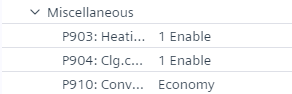
- Click P903: Heating coil for heat distribution.
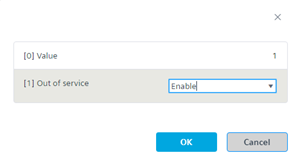
- In the Out of service drop-down list, select Enable.
- In the Value field, enter the zone number.
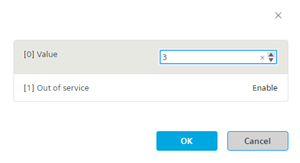
- Click OK.
- Click P904: Clg.coil for refrigeration distribution.
- In the Out of service drop-down list, select Enable.
- In the Value field, enter the zone number.
- Click OK.
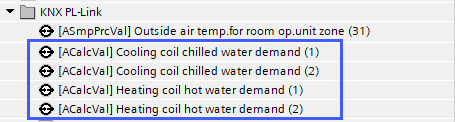
As soon as the demand signal is activated, ABT Site creates a corresponding BACnet object in the Programming editor (The demand signals are aggregated on the KNX PL-Link bus itself. The values of all RDG2s (managers and subordinates) which are configured to belong to this zone are considered.
Example: 2 RDG2 devices with 2 zones and with heating and cooling demand signal each.