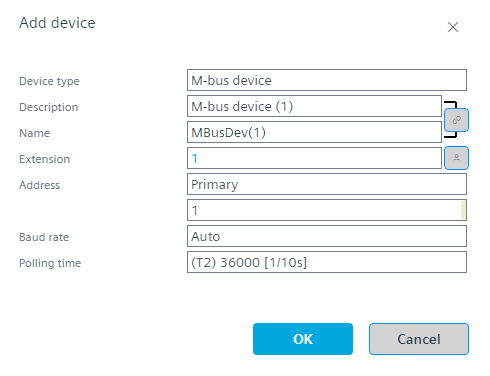
Add a device from the M-bus library
- A M-bus network is configured.
Add a M-bus network
- Go to Building > Building structure.
- Right-click a device and select Go to engineering.
- Open the M-bus task.
- In the M-bus area, click Add network. Info: Depending on the used device, up to 5 networks for Modbus, M-bus, KNX PL-Link are supported.
- Select the Library view on the right.
- From the Field devices > M-bus folder, drag a device from the library to the M-bus network.
- The M-bus device is added and pre-configured.
- Check the I/O address in the Properties view, for example,
MB-1:DL=1;DIB=0b0000****;VIB=0b0000****; - Configure the device.