Replacing charts in programming editor
Replacing charts in programming editor
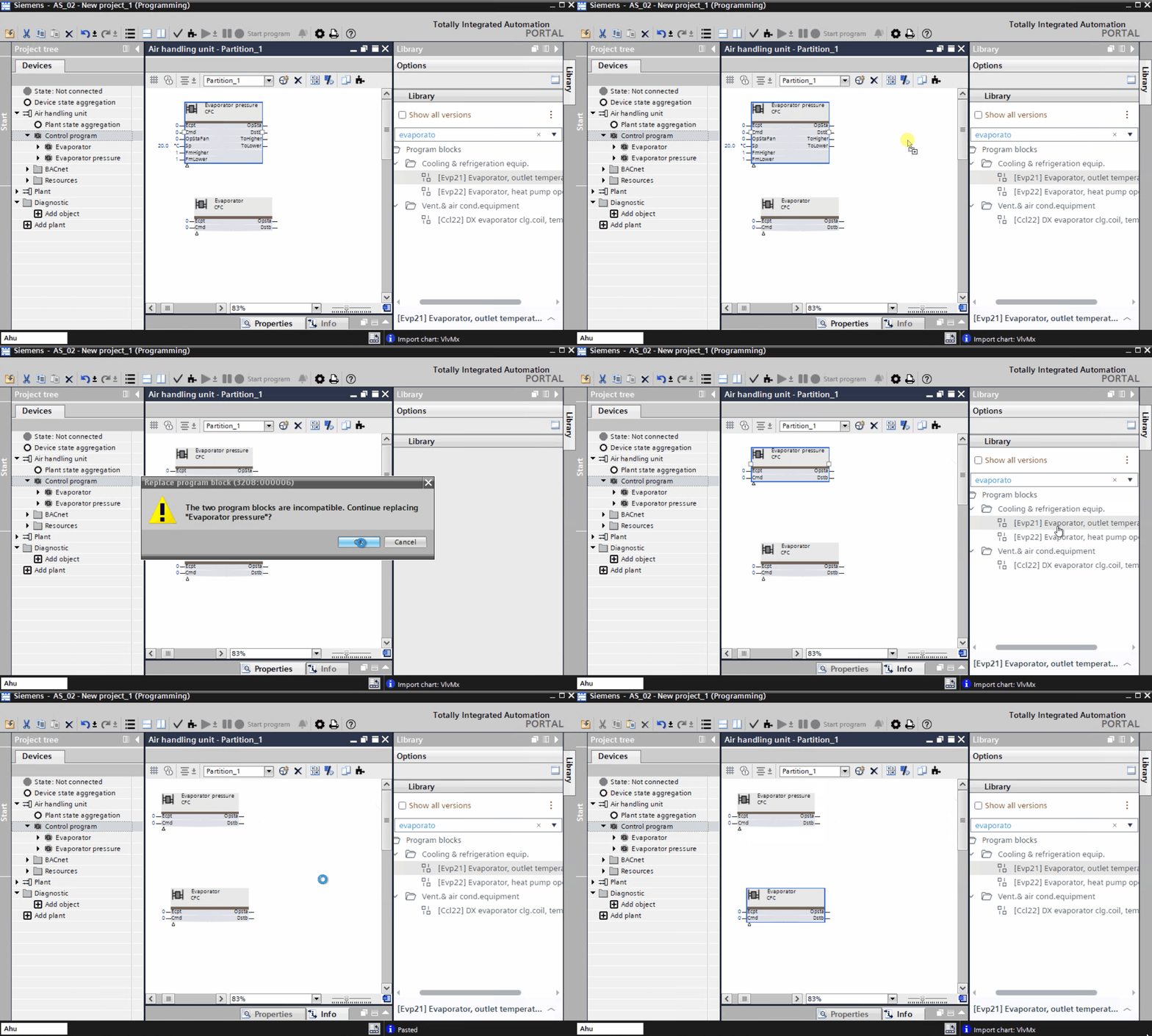
You can replace charts from the library to the CFC in the Programming editor.
- Use an existing program block in the Programming editor.
- Go to Library > Program blocks.
- Drag a similar program block from the library to the existing program block in the Programming editor.
- The Replace program block dialog box displays.
- Click Ok.
- The new program block replaces the old one.