Checking the RDG2 runtime version compatibility
The installed RDG2 devices must be checked for runtime compatibility with the Desigo PXC4/5/7 devices for the following reasons:
- The installed RDG2 firmware version cannot be read from the device label and is therefore unknown.
- The time of the RDG2 order/delivery may not be synchronized with the PXC4/5/7 version and therefore not compatible.
- The Web interface of the device is launched.
- The feature is supported by Desigo PXC4/5/7 device from version 1.6 onwards.
- Go to Object view > Field bus.
- Select KNX PL-Link bus.
- The RDG2 devices are listed and the device status is displayed.
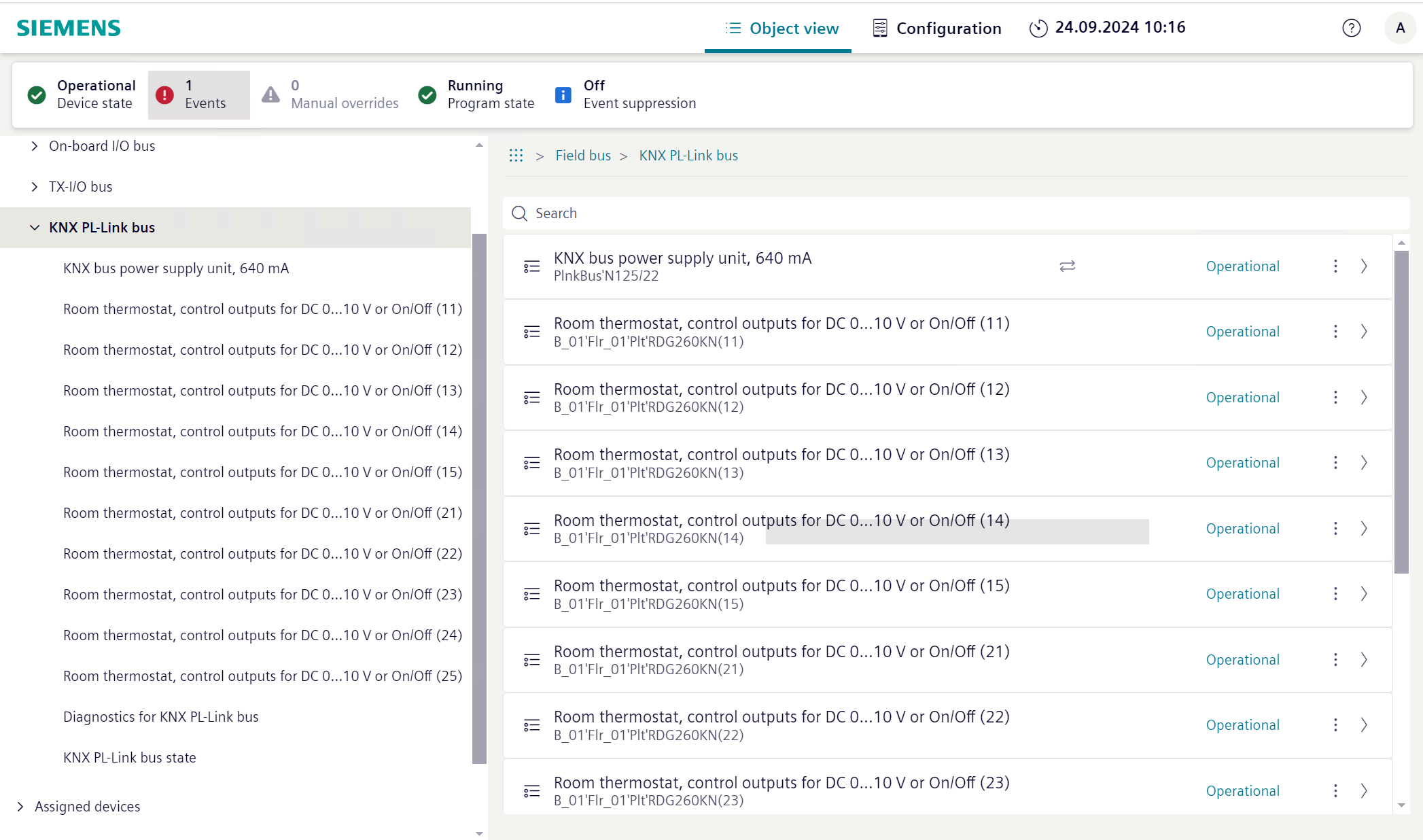
Note: The list view does not distinguish between manager and subordinate devices. - If an Incompatible device status is displayed, select the device and then
 .
. - The Peripheral device work area opens.
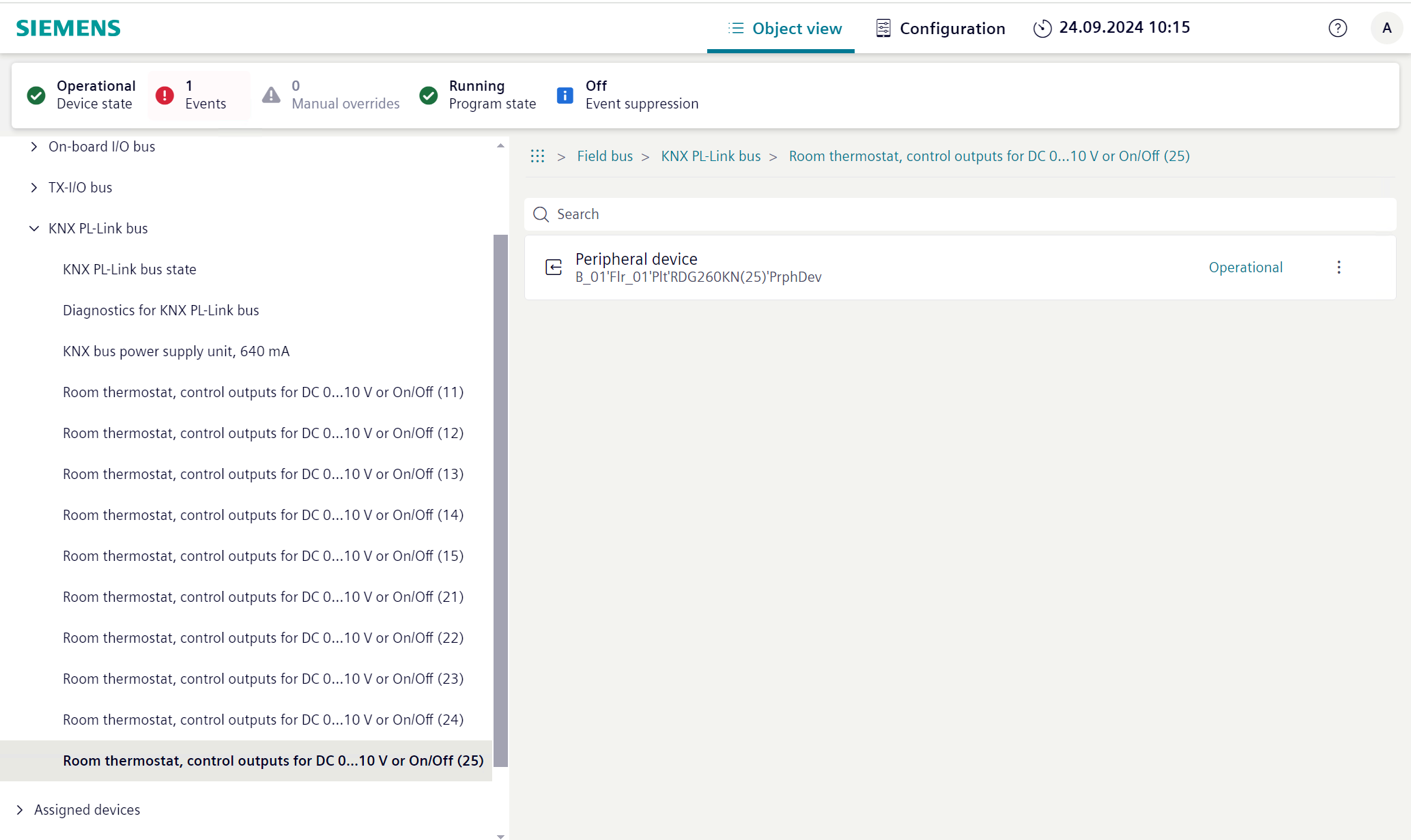
- Select Peripheral device and then .
- The Peripheral device details work area opens.
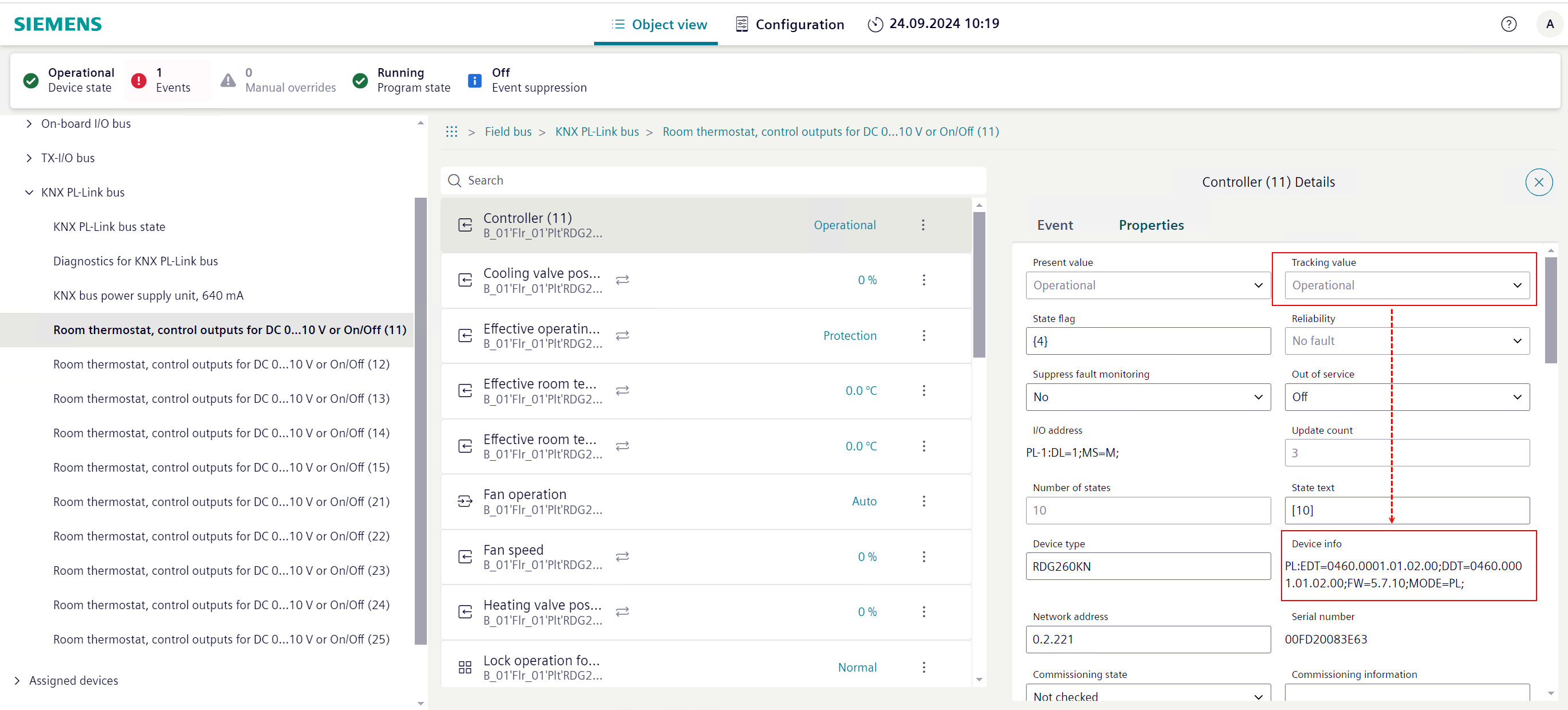
- Check the Tracking value status with the firmware version in the Device info information.
- Contact your local Siemens support and send them the corresponding firmware version of the RDG2 device.

If an incompatible status is displayed on the Web interface, the RDG2 devices must be replaced, or the firmware version must be updated. The firmware may only be updated by an authorized Siemens employee. It is not possible to update the firmware via Desigo PXC4/5/7.