Grouping
Central functions contains application functions for the central operation of HVAC, lighting and shading. Grouping is used to implement central control functions and to coordinate demand and forced signals from the various rooms in an entire building, building wing, floor, etc.
The application templates you need for building a grouping hierarchy are contained in the ABT Site library. The central function applications are available on the room automation stations DXR2.E18.. and DXR2.M18..
Room automation is subdivided into several categories such as Central weather station (CenWthStn), Central Emergency Lighting (CenEmgLgt), etc.
One or more group managers may exist for each category which then forwards the resulting information to all assigned group members (rooms). Group members are assigned to the group manager via internal group numbers.
Group numbers of the same group category must be unique within the same network.
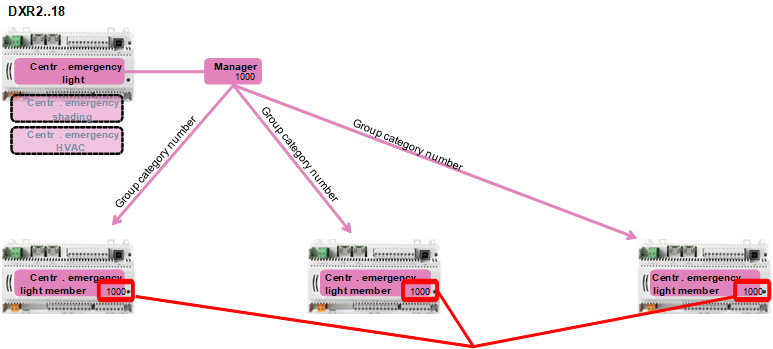
With ABT Site you can build a grouping hierarchy for a building and assign group members to group managers.
Basic procedure:
- Structure the building according to your project.
Defining a building structure - Create a grouping hierarchy.
Defining a central functions hierarchy - Add and assign central functions.
Adding a central function - Assign group members to group managers.
Assigning group members to group managers