Dependencies
Selecting I/O's or network peripheral devices may activate corresponding discipline features. If you manually override automatically activated discipline features, the system indicates that you have manually overridden automatic selections.
Example
Setting On-board input > Brightness > X2; 0...10 V activates Lighting > Brightness control > Lighting brightness switch 11.
If you deactivate the automatically set parameter, the system displays a hand symbol indicating that you have overridden an automatic selection. A symbol is displayed next to the discipline feature and beside the parent tab (Lighting).
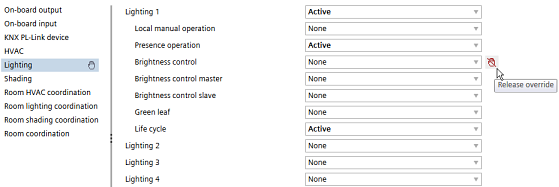
In order to release the overridden parameter and set it back to its logical value, click the Release override icon  or select the suggested value from the drop-down list.