Group member details
The Group member Details pane has the following tabs:
- Details
- Check out packages
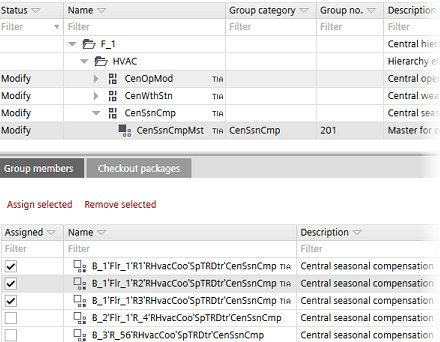
Details tab (Group members)
The Details pane (Group members) contains buttons for assigning group members to group managers.
Assigning group members to group managers
Column/Command | Description |
|---|---|
Assigned | Check box to select group members and assign them to group managers. |
Name | Name of the group members. |
Description | Description of the group member. |
Assign selected | Assigns the selected group members to the group managers. |
Remove selected | Removes the assigned group members from the group managers. |
Checkout packages tab
Check-out packages are displayed for building elements, areas, and devices. Check-out packages indicate the corresponding project paths that have to be writable. This allows the identification of the directories to be checked in or out from a project repository in a distributed engineering environment with Branch Office Server (BOS).
Only the top folders are listed because only the top folders have to be checked out.
Column | Description |
|---|---|
Folder | Relative path to the folders where the application templates stations are saved. |
Description | Name of the application template. |
Type | Type of project or template, e.g. application template or ABT Pro project. |