Enabling intrinsic alarming
Only available for devices which support alarming.
Upgrading alarming
You can enable intrinsic alarming for selected data points. When enabling intrinsic alarming, intrinsic reporting specific properties become available. To enable intrinsic alarming, set the Enable event property to Yes.

When disabling the intrinsic alarming and enabling again, the property values are set back to default.
Enable intrinsic alarming in the Property view
- Go to Building > Building structure.
- Right-click an automation station and select Go to engineering.
- Open the I/O configuration task.
- Select a data point and open the Properties view
- Set the Enable event property to Yes.
- Intrinsic alarming is enabled.
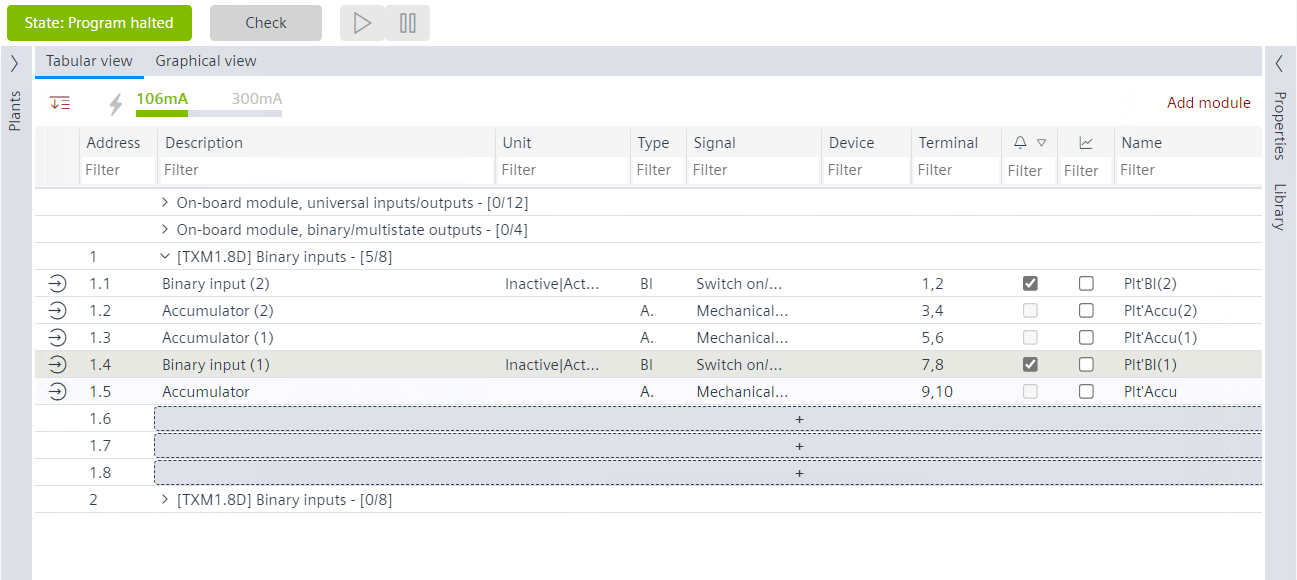
Enable intrinsic alarming in the Table view
- Go to Building > Building structure.
- Right-click an automation station an select Go to engineering.
- Open the I/O configuration task.
- Select Tabular view.
- Select a data point.
- In the alarm column which is indicated by the symbol, select the check box.
- Intrinsic alarming is enabled.