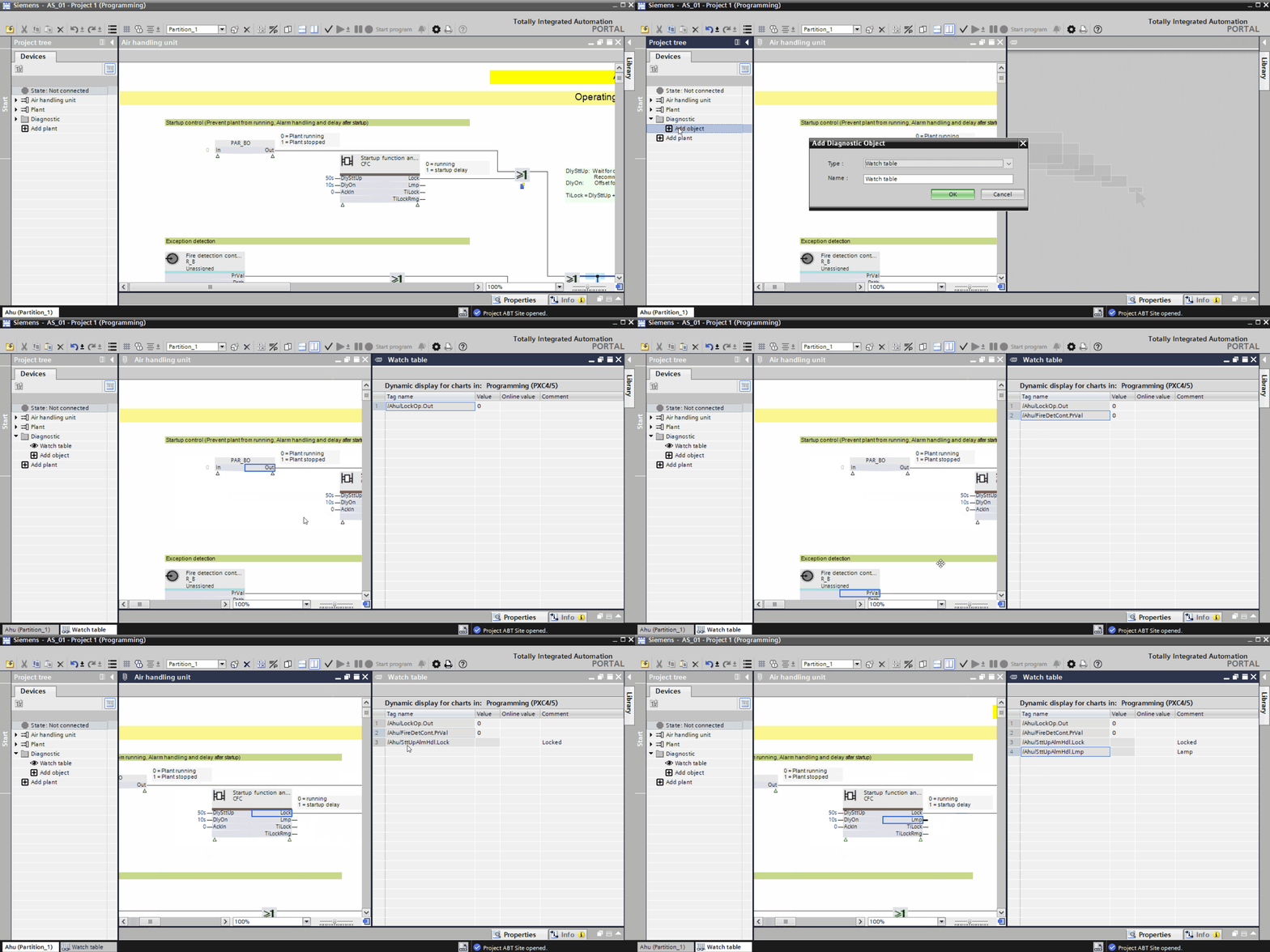
Enter the name for the watch table in the Name field and click OK.
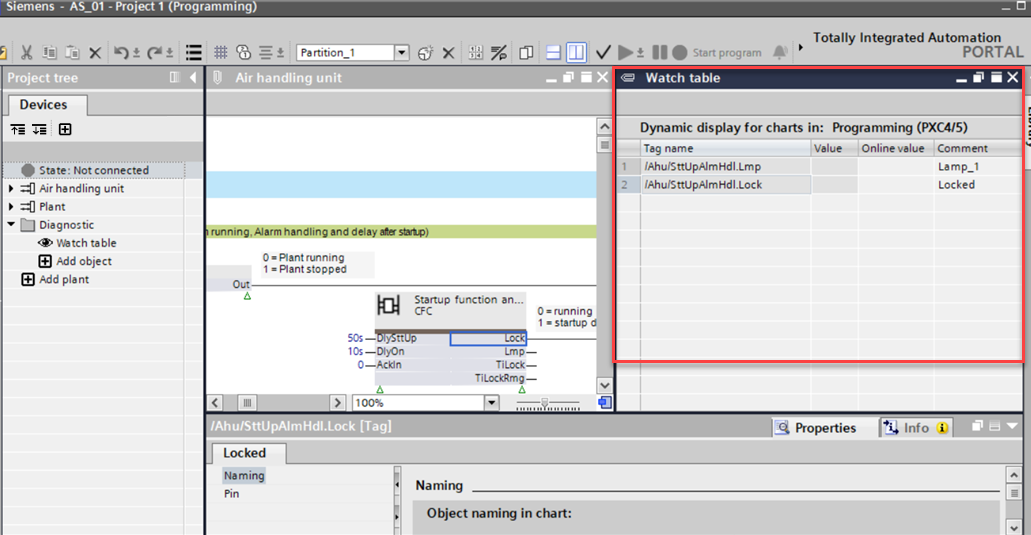
A watch table displays in the second space of the Programming editor.
Drag the pins from the chart to the watch table. The pin name, offline value, and online value displays in a tabular form. Add/update the Comment field to give a description to the pin.
You have created a watch table.
You can add a maximum of 16 watch tables only.
If you are offline, you can see the last used value in the Online value column of the watch table.

 or
or  on the toolbar.