Plants navigation view
The Project tree navigation view contains one or more plants and their components on one automation station.
Working with the plant navigation view
Devices toolbar | Description |
|---|---|
| Collapse plants folder structure. When opening the Programming editor, the folder is collapsed. |
| Expand the plants folder structure. |
| Add a new plant in the Plants navigation view. |
 Collapse all
 Expand all
 Add plant
Project tree | Description | |
|---|---|---|
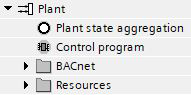
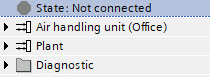
State Device state aggregation | State: Shows the states Device state aggregation: Aggregates all the states on device level of primary devices, can be used in control program logic. | |
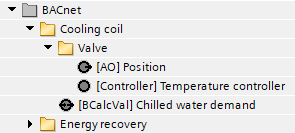
<Name of the plant> | Shows the plant and its components. The icons indicate if a chart is mapped to BACnet and if a chart is locked. | |
Control program and Plant state aggregation | Plant state aggregation: Aggregates all the states on plant level of primary devices, can be used in control program logic. Control program: Shows the control program with its used chart and subchart names. | |
BACnet | Shows all the BACnet objects. | |
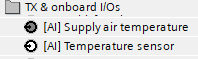
Resources | TX & Onboard I/Os | Shows all TX and onboard I/Os added in the I/O configuration task. The icons indicate if the I/Os are used (dark) or not used (white) in the chart. |
Modbus | Shows all Modbus I/Os added in the Modbus task. The icons indicate if the I/Os are used in the chart. | |
KNX PL-Link | Shows all KNX PL-Link objects. The icons indicate if the type is a device chart, an input, an output, or a value. | |
M-bus | Shows all M-bus objects. The icons indicate if the type is a device chart, an input, an output, or a value. | |
BACnet references | Shows all BACnet references. The icons indicate if the type is an input, an output, or a value. | |
Coordination | Shows all group manager objects, scheduler objects, and calendar objects. | |
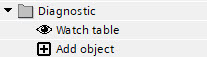
Diagnostic | Watch table | Opens the Watch table for monitoring pin data. |
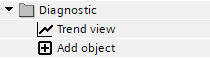
Trend view | Opens the Trend view to monitor pin data in run time. | |
Plant | Drag a new plant or an existing plant from the Library. | |