Installing ABT Site and ABT Pro
Prerequisites:
- Verify that your current supported Windows version is up-to-date with all the latest Microsoft service packs and updates.
- Microsoft .NET Framework 4.7.2 must be available on your machine
- In the Control Panel, turn on the Windows feature for Microsoft .NET Framework 3.5 (includes .NET 2.0 and 3.0).
- Once the ABT_Installer.exe is launched, the following screens appears on your machine:
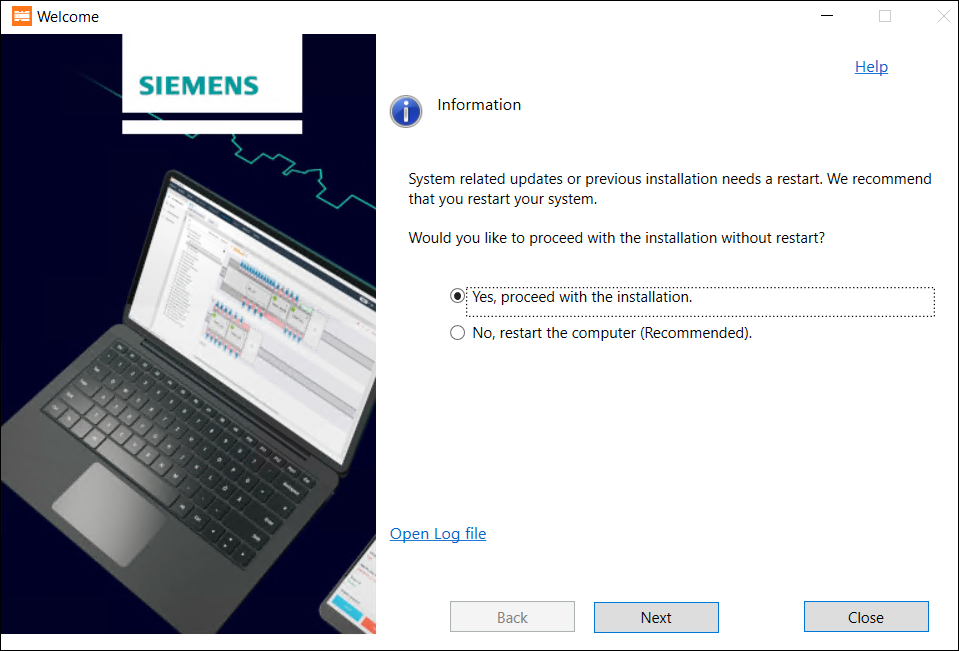
It is recommended to restart your machine before you proceed to install ABT Site and ABT Pro. Please save your work before restarting the machine. You may also choose to restart your machine later. Choose the right option according your requirement and click Next.
Complete the following steps to install ABT Site and ABT Pro along with its libraries by using ABT Installer.