Customizing BACnet object instance numbers

After customizing BACnet object instance numbers, a full load of the respective devices is required.
After modifying an instance number, the existing BACnet clients, such as Desigo CC or Desigo Control Point must re-engineer again.
BACnet object instance numbers have a default value when the BACnet object is created. It is possible to modify the value of BACnet object instance numbers. You can export a .CSV file containing BACnet object instance numbers, modify values and import the .CSV file again.
Export .CSV file
- Data point is created and assigned.
Creating I/O data points - You are in Building > Building structure view.
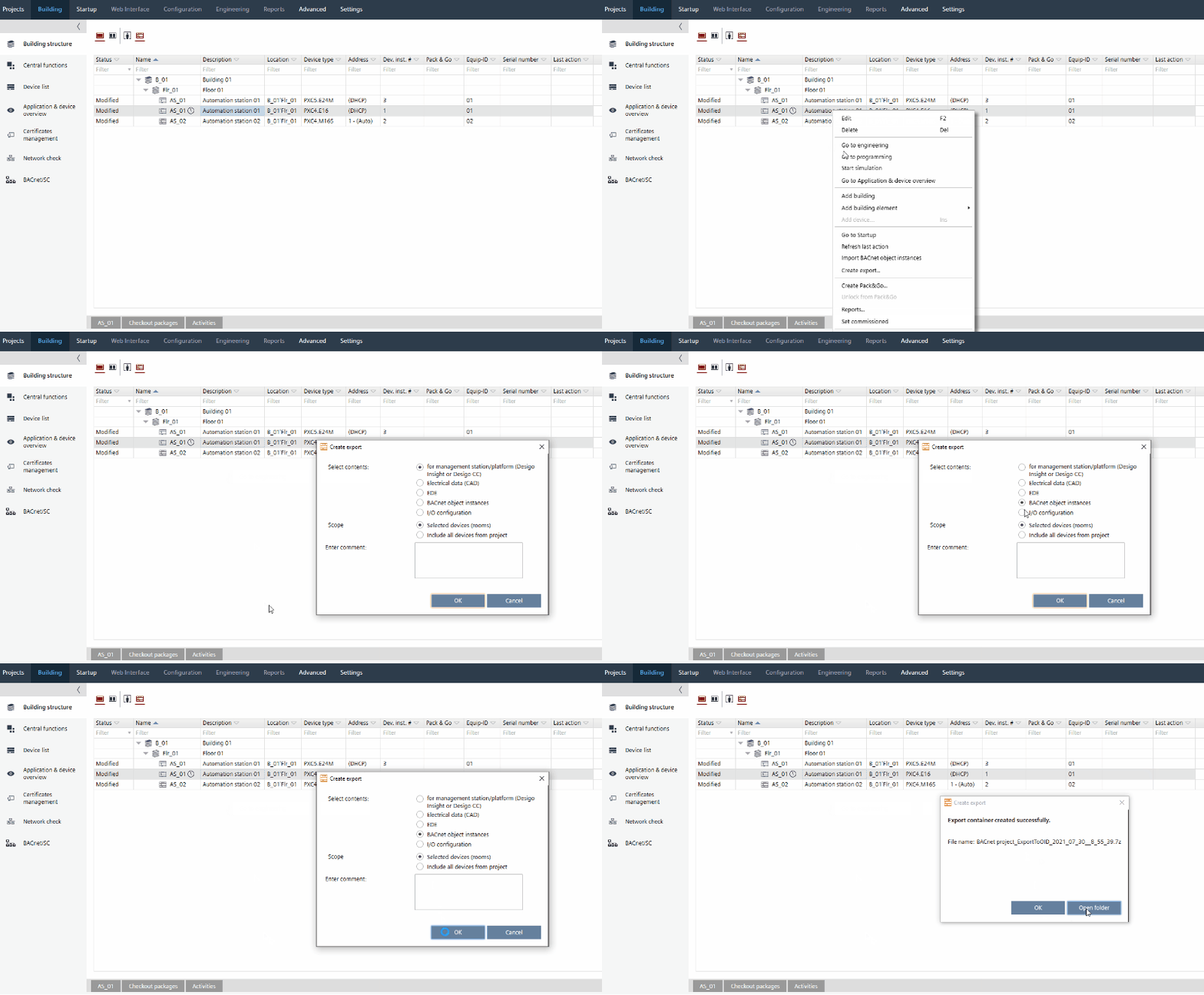
- Select a device or a building element containing a device.
- Right-click and select Create export....
- The Create export dialog box opens.
- Select BACnet object instances.
- Click OK.
- An export container with a .CSV file is created and exported.
Customize BACnet object instance numbers
Only changes of values in column OBJECT INSTANCE NUMBER are recognized by ABT Site after import. All other changes will be ignored.
- An export container with a .CSV file is created and exported.
- Click Open folder.
- Unzip the export container and open the .CSV file with Microsoft Excel.
- In column OBJECT INSTANCE NUMBER, change the value as required and save the .CSV file.
Import .CSV file
- In the context menu of the selected device, select Import BACnet object instances....
- Select .CSV file.
- Click Open.
- .CSV file is imported to ABT Site and new values are saved.
ABT Site validates the uniqueness and format of BACnet object instance numbers during the import. Any incorrect values (e.g., duplicated BACnet object instance numbers or a wrong format) block the import. In this case it is required to correct the values and import the .CSV file again.