Going online with the Room programming editor
You can go online from any view by using the Go online button in the toolbar or by selecting Show in program in the context menu. The context menu item is available on any application function, I/O or data point. The command will jump directly to the element in the chart.
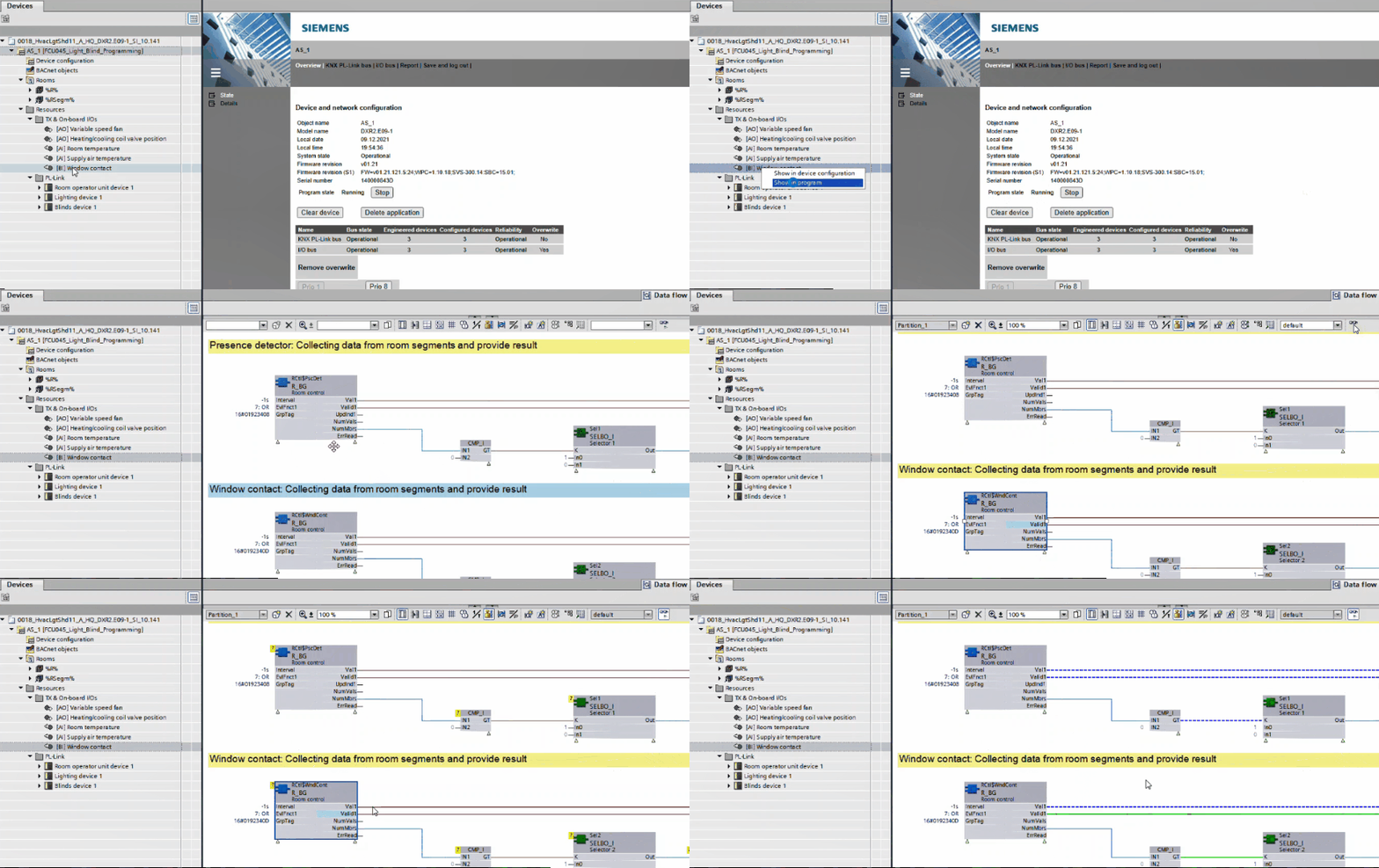
Go online with the chart
- Open the Room programming editor.
Duplicating and programming - Select an application function, I/O or data point in the Project navigation view.
- Right-click the element and select Show in program.
- The command will jump directly to the element in the chart.
- In the toolbar, select the Monitoring on/off button.
- You can now monitor online values. Mouse over a data point to see its current live value.
Go online with the room segment editor
- Open the Room programming editor.
Duplicating and programming - In the toolbar, select the Go online button.
- The frame color changes to orange, and the table in the Room segment editor now displays live values.