Using the new notification class for the alarm
Create a new alarm and assign the new notification class in the Engineering menu.
Notification classes
- Go to Building > Building structure.
- Right-click a device and select Go to engineering.
- Open the I/O configuration task or BACnet objects task.
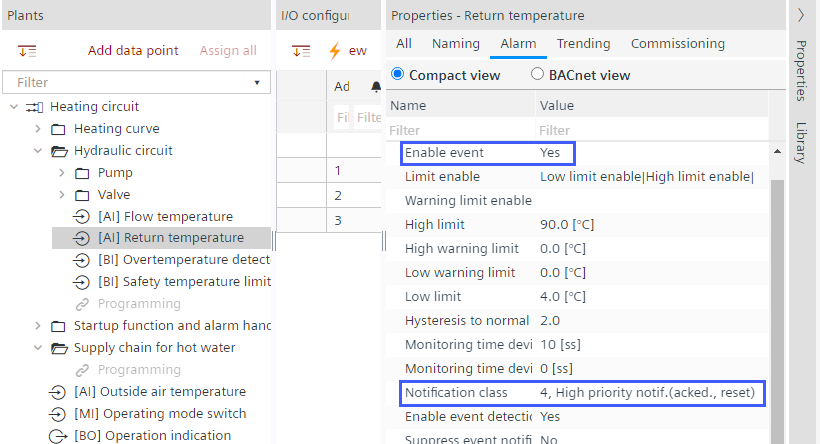
I/O configuration - In the Plants navigation view, select a data point.
- Open the Properties tab.
- Go to the Alarm tab.
- Select the Compact view option.
- From the Enable event drop-down list, select Yes.
- From the Notification class drop-down list, select the desired notification class.
- The alarm is assigned to a notification class and alarm-capable.