Creating a trend log object - Projects tab
Create a trend log object in Projects tab.
- Go to Engineering > BACnet references.
- Click Projects tab.
Create a BACnet reference from ABT Site projects. - Select the required project in the Selected project field.
- The respective data points of the project is displayed below in the form of a table.
- Right-click the required data point in the table and click Add trendlog.
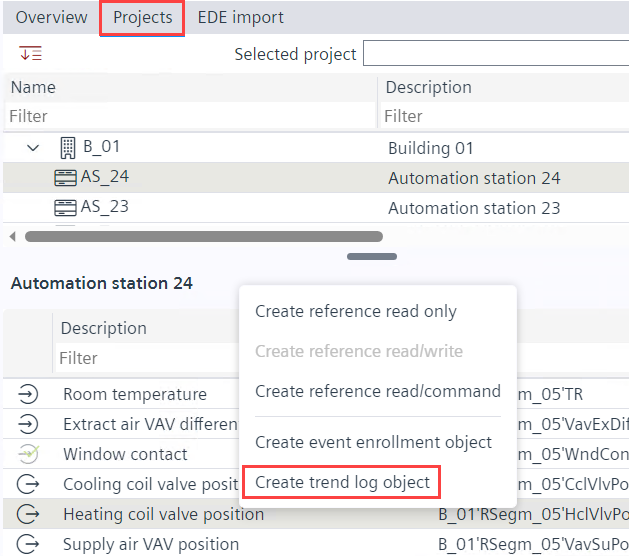
- The trend log object is created in the Plants navigation view.
The device name, device instance number, object type and object instance number information can be seen in the Log device object properties property in the Properties tab.