Upgrading the notification classes in an existing project from SVS300 to SVS400
For an existing project with SVS300, the notification class must be manually updated to SVS400. The reason is that SVS300 does not support all of the new features of SVS400.

The notification class template cannot be changed for the following device groups:
- Routers and gateways
- DXR1, DXR2, PXC3 devices
- All devices with *.A.
Notification classes
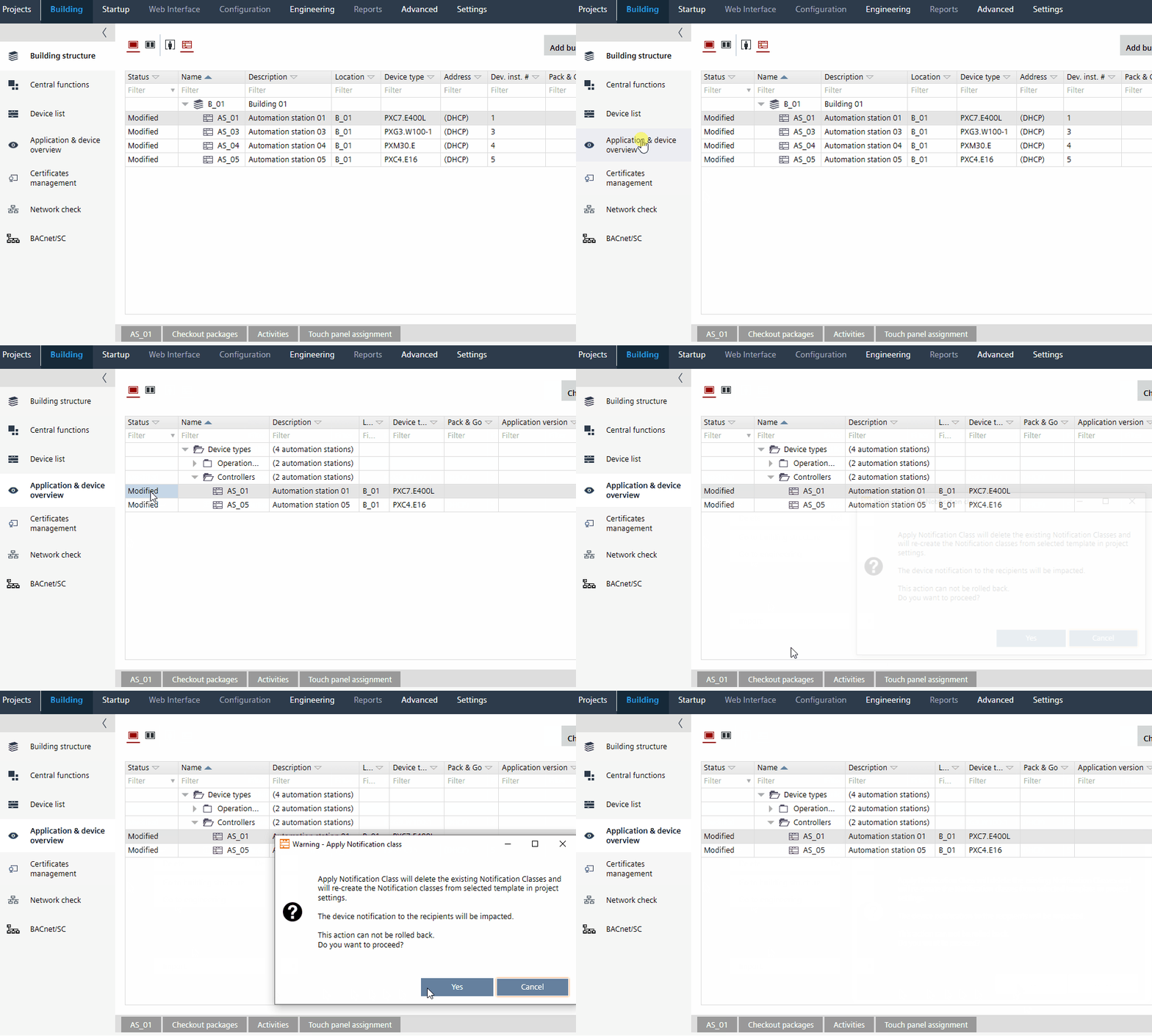
- Go to Building > Building structure.
- Open the Application & device overview task.
- Select a device in the building hierarchy.
Note: Multi-selection of devices is supported. If more than 15 devices are present and the user applies notification class for all, then a progress dialog displays. The messages are shown in the Log tab. - Right-click a device and select Apply notification classes.
- The Apply Notification class dialog box opens.
- Click Yes.
- The defined project notification class is assigned to the device.
Note: If an unsupported device is selected, an error message will be displayed in the Log tab.
Notification class template
The user has to manually update the notification class number for alarmable objects like event enrollment, trend log objects. Verify the alarm routing as well.