Activating the calendar manager
- The device ID and object ID of the calendar objects are available.
Export the calendar information of the entire project - The device version to store the calendar manager is ≥ 1.6. Older device versions do not support the global calendar object.
Note: For the mapping of primary calendar and subordinate calendar, the device version can also be less than 1.6. - The calendar manager is supported by the device types PXC4/5/7.
- If a Desigo CC management station is present in the project, no calendar mapping should be done in the ABT Site project.
- Go to Building > Building structure.
- Select the device where the calendar manager should be stored.
Note: It is recommended to use the device where the time manager is stored.
 - Select the Calendar manager tab.
- Activate the Calendar manager check box.
- An empty Primary and subordinate calendar mapping dialog opens.
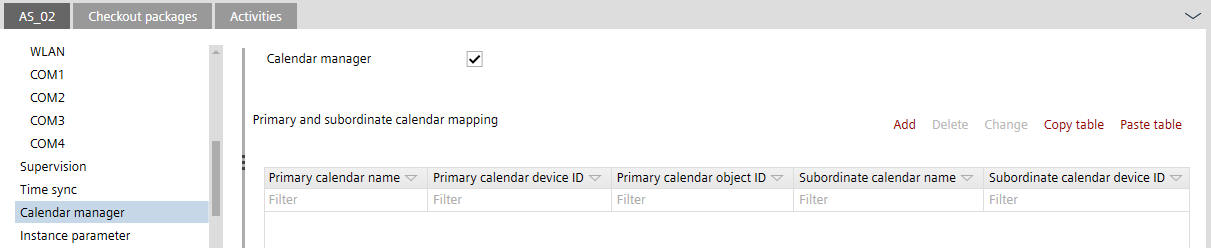

- If the Calendar manager check box is cleared at later time, all entries as well as the global calendar object are deleted.
- Do not create a second calendar manager in the Desigo network.