Importing data
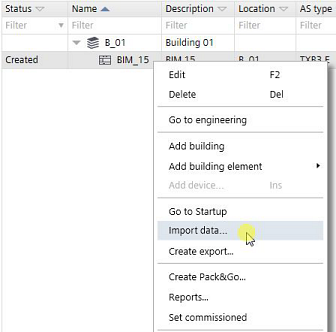
- A BACnet object instance csv.file or a BACnet object names csv.file is available.
Changing BACnet object instance (CSV)
Changing BACnet object names and descriptions (CSV)
- Go to Building > Building structure.
- Right-click an automation station and select Import data.
- Select a file to import.
- You have imported the csv.file.