Engineering data on the device (EDoD)
Engineering data on the device lets the tool user store the engineering data of a PXC4/5/7 automation station on the device itself. The loaded engineering data contains all required data for later change the PXC4/5/7 devices (incl. the programming). There are no offline ABT Site project data required on the PC/laptop anymore.
The prerequisite for existing (already engineered/commissioned) devices is that the ABT Site project data have been stored on the device and the ABT Site user credentials are known. Optional certificates for communication must be available.

The availability of this feature depends of the need of the country. Some countries will not use EDoD as they store their project data on Branch Office Server (BOS).
Initial engineering/commissioning Engineering as is:
|
|
|
Recurring engineering/commissioning (Engineering data already exists on device) Use Case 1: No offline ABT Site engineering data (ED) available on the PC/laptop
|
| |
Use Case 2: Offline ABT Site project with engineering data (ED) available on the PC/laptop
|
|
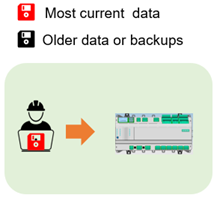


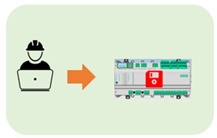
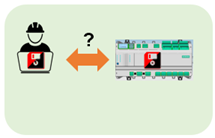
Technical principles engineering data handling on device:
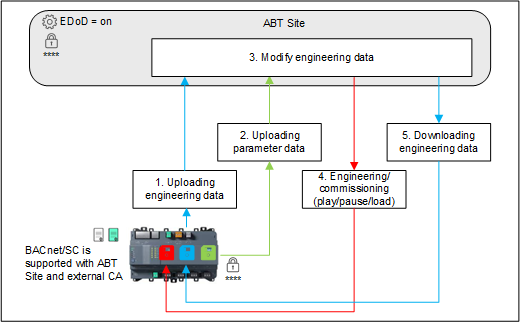
These principles apply when engineering data are stored on the device. The prerequisite is that the original project user credentials are known. There is no saved backdoor password. If there are no known user credentials, the control program cannot be created. In addition to the user credentials, optional certificates for communication must be available.
Make sure the feature Engineering data on device is activated in the Settings tab of the project, under Device defaults.
- Offline ABT Site project data on the PC/laptop can still be used in parallel but are considered as a backup of the data stored on the device.
- Download / upload times can vary depending on device type, connection medium (IP, Cloud, WLAN) and program size of engineered device.
- Engineering data on MS/TP devices (PXC4.M16..) is possible but is not recommended because of the very low performance of MS/TP. Please use the onboard WLAN hotspot connection instead.
NOTICE

No access to PXC4/5/7 automation stations since user (credentials) or optional certificates are missing
In this case, the engineering data of the concerning PXC4/5/7 are lost. The device must be cleared, and the data rewritten. Therefore:
- The project user credentials and optional certificates for communication must be passed on to the customer for safekeeping during project hand-over.
- It is the customer’s responsibility to keep this information safe (cybersecurity risk).