Reading and creating M-bus data points from online device data
Read and create data points from an online M-bus device.
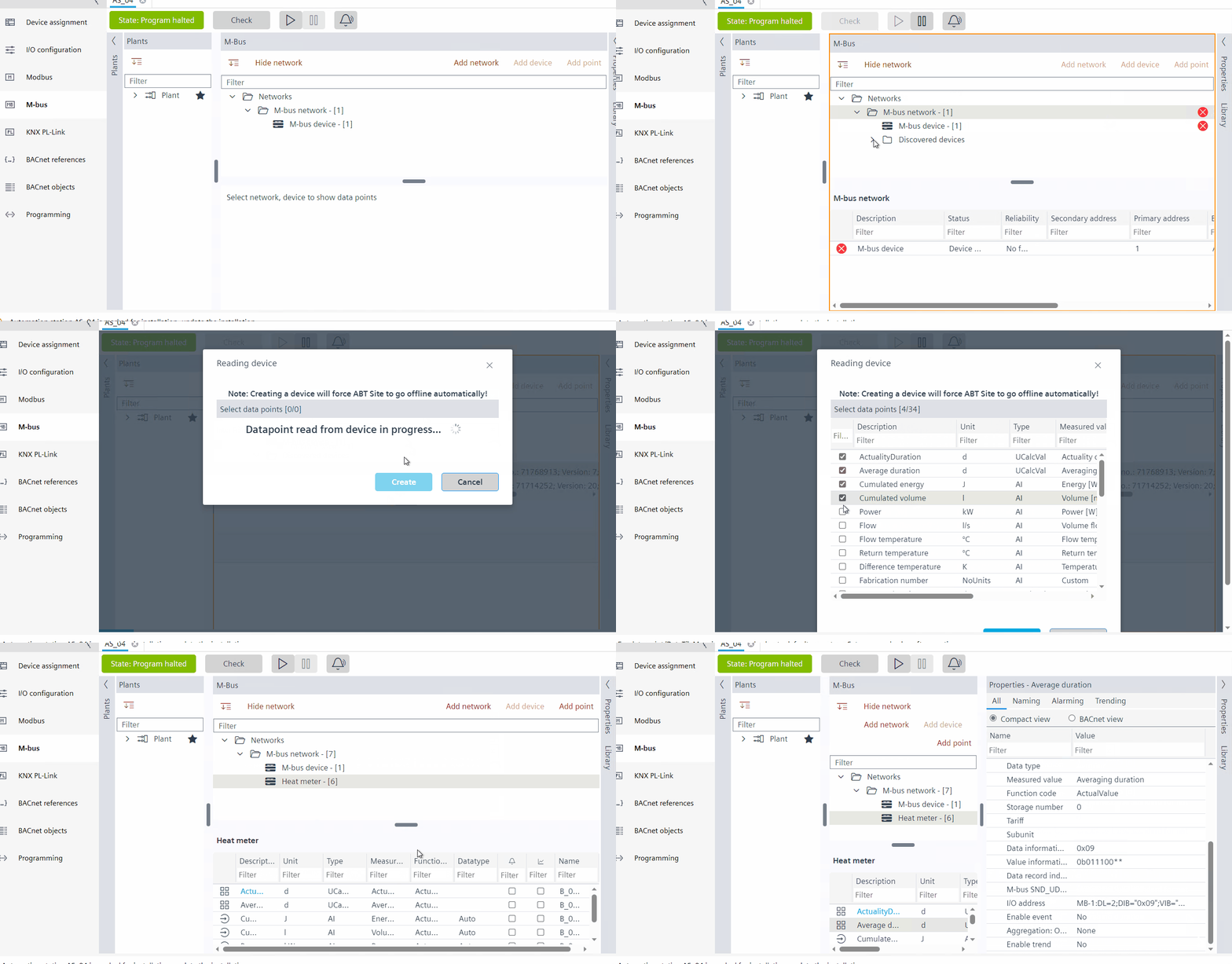
- Before you add a M-bus network, make sure to configure and load the device.
Configure and download.
- Go to Engineering.
- Open the M-bus task.
- Click Add network.
- Select the M-bus (MBUS) port in the Port field and click OK.
- You have added an M-bus network.
- Click to go online.
- Start the network scan.
M-bus network scan. - Right-click the device in the orphan list and select Read device data.
- The Reading device dialog box displays, where a trace of all the online device data points is read.
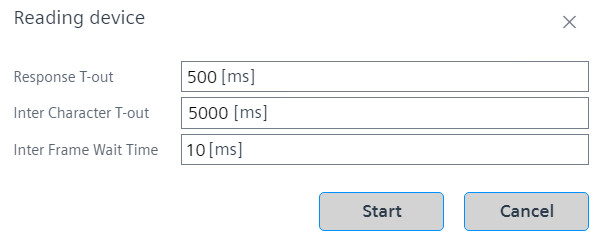
- Select the Response T-out, Inter Character T-out and Inter Frame Wait Time in the respective fields and click Start. For more information on the time out characters, see Reading device - Time out characters.
- After a few seconds, the list of the data points in the online device displays.
- You can see all the discovered data points and ABT site will propose a BACnet object mapping.
- Select and tick/check the required data points and click Create.
Note: Creating a customized device will force ABT Site to go offline automatically. - The M-bus editor goes offline and the customized M-bus device is created, which displays under M-bus network.
- Click on the newly created M-bus device.
- The data points display below in the workplace table.
- Check the properties of the newly created M-bus device in the Properties tab.

ABT site can only propose an integration variant for the discovered data points. If further customization is required, the user should do it manually.
Any device with primary address 0, after device read out the Network address will change to 253 in the online mode.
For multiple devices with primary address 0, the uniqueness check is disabled.
Reading device - Time out characters
The read device time out characters define the time frame for the M-bus message to be transmitted. There are three characters time outs:
- Inter character T-out: The entire M-bus message frame must be transmitted as a continuous stream of characters. The standardized inter-character timeout on the receiver is 22 bit times. Any gap > 22 bit times shall be considered as the end of a telegram.
- Inter frame wait time: The minimum inter-frame wait time is 11 bit times between a received response frame and sending of the next request frame.
- Response T-out: M-Bus standard defines the maximum acceptable delay time which leads to a response timeout in the manager. The standard delay time between the end of a manager telegram and the beginning of the subordinate response telegram shall be between 11 bit times and (11 + 330 bit times + 50 ms)